Tag: workflow efficiency

  • Customer Call Scripts for Construction Assistants: The Ultimate Guide to Professional Communication

    Customer Call Scripts for Construction Assistants: The Ultimate Guide to Professional Communication

    How Virtual Assistants Can Master Construction Industry Calls for Better Business Results

    Do your construction business calls lack consistency? Are potential clients slipping through the cracks because of unprofessional or disorganized phone interactions? According to recent industry data, construction companies lose up to 37% of potential business due to poor call handling. For construction business owners, every call represents an opportunity—one that requires industry knowledge, professionalism, and strategic communication. This comprehensive guide provides virtual assistants and administrative staff with proven call scripts and communication strategies specifically tailored for the construction industry.

    ![Construction virtual assistant on professional business call]

    Quick Takeaways:

    • Well-trained construction virtual assistants can convert 40% more inquiries into appointments using industry-specific call scripts
    • Properly handled emergency calls can reduce liability issues by up to 65%
    • Construction VAs using structured scripts respond to subcontractor questions accurately 83% of the time without owner intervention
    • Implementing professional call handling protocols saves construction business owners an average of 12 hours weekly
    • Strategic call qualifying scripts help prioritize high-value opportunities, increasing revenue by up to 28%

    Why Construction Businesses Need Specialized Call Scripts

    A collage showing the negative consequences of poor call handling in construction, such as lost revenue and scheduling errors.

    The construction industry presents unique communication challenges that generic call scripts simply cannot address. When clients call a builder, contractor, or construction firm, they expect to speak with someone who understands their specific concerns, can speak the industry language, and can provide meaningful assistance.

    The High Cost of Poor Call Handling in Construction

    Construction businesses with inadequate phone protocols frequently experience:

    • Lost revenue opportunities: Potential clients who feel their projects aren’t understood often look elsewhere
    • Scheduling inefficiencies: Poorly documented call information leads to wasted site visits and missed appointments
    • Communication breakdowns: Miscommunications with subcontractors can cause costly delays and errors
    • Damaged reputation: Unprofessional call handling reflects poorly on your overall business operations
    • Owner overwhelm: Without proper call management systems, business owners become tied to their phones

    Research from the Construction Management Association shows that implementing professional call scripts and protocols can increase appointment setting by 40% and improve overall customer satisfaction scores by 62%.

    Essential Components of Effective Construction Call Scripts

    Before diving into specific scripts, let’s examine what makes construction industry call scripts effective. Unlike generic business scripts, construction calls require specialized elements:

    1. Industry-Specific Terminology and Understanding

    Effective construction call scripts must incorporate:

    • Appropriate technical terminology (while avoiding confusing jargon with clients)
    • Understanding of different project types and their requirements
    • Familiarity with construction timelines and processes
    • Knowledge of common client concerns and questions

    2. Qualifying Components

    Construction projects vary dramatically in scope, budget, and requirements. Your scripts should help:

    • Determine project scale and complexity
    • Establish budget parameters
    • Identify timeline expectations
    • Assess whether the project is a good fit for your business

    3. Documentation Protocols

    Construction calls often contain critical details that must be accurately captured:

    • Specific measurements and requirements
    • Site conditions and special considerations
    • Reference to building codes or permit concerns
    • Detailed contact information for follow-up

    4. Clear Next Steps

    Every construction call script should conclude with:

    • Clearly defined next actions
    • Specific timeline expectations
    • Documentation of who will follow up and when
    • Permission to add client to appropriate communication lists

    10 Essential Call Scripts for Construction Virtual Assistants

    An infographic with icons representing 10 essential call scripts for construction assistants.

    1. Initial Inquiry Handling Script

    Purpose: To professionally welcome potential clients, gather basic information, and establish next steps.

    Script:

    “Thank you for calling [Construction Company Name], this is [Your Name] with Citrus Assistants. How can I help you with your construction needs today?”

    [Listen to initial inquiry]

    “I appreciate you reaching out about your [specific project type]. To help us best address your needs, may I ask a few quick questions about your project?

    1. Could you briefly describe what you’re looking to have done?
    2. What is the approximate timeline you’re considering for this project?
    3. Have you worked with a contractor on similar projects before?
    4. How did you hear about [Construction Company Name]?

    Thank you for that information. Based on what you’ve shared, the next step would be to schedule a [phone consultation/site visit] with [appropriate team member name]. They can provide you with more specific guidance and discuss potential approaches to your project.

    Would [date/time option 1] or [date/time option 2] work better for your schedule?”

    [Schedule appointment]

    “Excellent. I’ve scheduled you for [confirmed date/time]. You’ll receive an email confirmation shortly with all the details. Is there anything else I can help with today?”

    [After call documentation protocol]

    • Log call details in CRM/project management system
    • Send confirmation email with appointment details
    • Flag any special requirements for the estimator/contractor
    • Add to follow-up calendar if needed

    2. Budget Qualification Script

    Purpose: To respectfully determine if there’s budget alignment before investing significant time.

    Script:

    “To ensure we can provide options that align with your expectations, it’s helpful to understand your budget parameters for this [specific project type]. Projects like yours typically range from [lower range] to [higher range] depending on materials, scope, and specific requirements.

    Do you have a budget range you’re hoping to stay within for this project?”

    [If client provides budget]

    “Thank you for sharing that. Based on what you’ve described and your budget of [client’s budget], we should be able to explore several approaches that would work well for your project. This helps us prepare more relevant options for your [consultation/site visit].”

    [If client is hesitant to share budget]

    “I completely understand that you may still be researching costs. To give you some context, similar [specific project types] we’ve completed recently have typically fallen between [provide reasonable range]. Would a project in that range be feasible for your planning purposes?”

    [Document budget information in system]

    3. Emergency Request Handling Script

    Purpose: To properly prioritize urgent situations while gathering critical information.

    Script:

    “I understand you’re dealing with [specific emergency situation]. First, let me confirm—is anyone’s safety at risk right now?”

    [If yes – provide appropriate emergency service direction]

    “Your immediate safety is the priority. Please call emergency services at 911 and then call us back once everyone is safe.”

    [If no – proceed]

    “Thank you for confirming. I’ll treat this as an urgent situation. To help us respond as effectively as possible:

    1. Could you briefly describe exactly what’s happening?
    2. When did you first notice the issue?
    3. Have you taken any steps to address it temporarily?
    4. Is the situation currently getting worse?
    5. What is the exact address where this is occurring?

    Based on what you’ve shared, this will require priority attention. Here’s what will happen next:

    I’ll contact [appropriate team member] immediately after our call to alert them to your situation. You can expect a call back within [realistic timeframe] to either provide guidance or schedule an emergency visit. In the meantime, [provide any appropriate safety guidance or temporary measures].

    Is there any other information you think would be helpful for our team to know?”

    [After call emergency protocol]

    • Immediately notify designated emergency contact person
    • Flag in system with “URGENT” designation
    • Follow up within promised timeframe if no action has been taken
    • Document all details thoroughly for liability protection

    4. Subcontractor Communication Script

    Purpose: To professionally handle calls with trades and ensure proper information exchange.

    Script:

    “Thank you for calling [Construction Company Name], this is [Your Name] with Citrus Assistants. How can I assist you today?”

    [Identify caller as subcontractor]

    “Thank you, [Subcontractor Name/Company]. I’d be happy to help with that. Which specific project are you calling about today?”

    [Get project details]

    For schedule questions: “According to our current project schedule for [project name], the timeline for [relevant phase] is [provide details]. Has anything changed on your end that might affect this schedule?”

    For specification questions: “Regarding the specifications for [project element], let me check the latest documentation we have. [Reference appropriate documentation]. Does this align with what you were provided initially?”

    For coordination issues: “I understand there’s a coordination concern with [specific issue]. Let me make sure I capture all the details correctly so we can resolve this efficiently.”

    [If unable to answer specific technical question] “That’s an important question that requires [Project Manager/Contractor’s] specific input. I’ll make sure to get this information to them immediately and have them contact you directly at [confirm best contact number] by [specific timeframe]. In the meantime, is there anything urgent that needs to be addressed before they reach out?”

    [Document all subcontractor communications in system]

    • Note any schedule changes or issues
    • Flag any potential conflicts with other trades
    • Update project timeline if necessary
    • Set reminder for follow-up verification

    5. Client Update Call Script

    Purpose: To provide professional project updates and address any client concerns.

    Script:

    “Hello [Client Name], this is [Your Name] with [Construction Company Name]. I’m calling with your scheduled update on the [client’s specific project].

    Based on our latest progress report, the project is currently [on schedule/ahead of schedule/experiencing a delay of X days]. The team has completed [list recent completions] and is currently working on [current phase].

    The next major milestone will be [upcoming milestone], which we expect to reach by [projected date].

    Do you have any questions about the current progress or upcoming phases?”

    [Address any questions or concerns]

    “Is there anything else you’d like the team to know or address at this stage of the project?”

    [Document concerns or requests]

    “Our next scheduled update will be [date/method]. Of course, if you have any questions or concerns before then, please don’t hesitate to contact us. Thank you for your time today, [Client Name].”

    [After call documentation]

    • Log update details and any client concerns
    • Flag any action items for the project manager
    • Update communication schedule if changes were requested
    • Note any tone or satisfaction indicators for relationship management

    6. Lead Qualification Script for Specific Construction Services

    Purpose: To determine if an inquiry is appropriate for your specific construction specialties.

    Script:

    “Thank you for sharing details about your [project type]. Our company specializes in [list 2-3 core specialties], with particular expertise in [specific niche or approach].

    Based on what you’ve described, your project involves [restate key elements of their project]. Is that correct?”

    [Confirm understanding]

    For good fit projects: “Your project aligns well with our expertise in [relevant specialty]. What has you particularly interested in working with our company for this project?”

    For potential misalignment: “While we do have experience with [related aspect], projects like yours typically benefit from specialized expertise in [area outside core competency]. Would it be helpful if I suggested some resources or specialists who focus specifically on that type of work?”

    [If proceeding with qualification] “To help us determine the best approach for your project:

    1. What is your ideal timeline for completion?
    2. Have you already [obtained permits/created plans/consulted with an architect]?
    3. What aspects of this project are most important to you? For example, are you prioritizing [quality, speed, specific materials, minimal disruption]?”

    [Document qualification details and set appropriate expectations for next steps]

    7. Payment and Financial Discussion Script

    Purpose: To professionally handle sensitive conversations about payments, deposits, and financial concerns.

    Script:

    “I’d be happy to discuss the payment schedule for your project. For [specific project type], our typical payment structure includes:

    • An initial deposit of [X%] to secure your place on our schedule and begin the planning process
    • Progress payments of [X%] at [specific milestones]
    • Final payment of [X%] upon completion and your satisfaction

    Does this structure work with your expectations?”

    [Address any payment schedule questions]

    For payment collection: “According to our records, there is a [progress/final] payment of [$X] scheduled for [date] based on the completion of [specific milestone]. I’m calling to confirm your preferred payment method and answer any questions you might have about this invoice.”

    For payment concerns: “I understand you have concerns about [specific financial issue]. While I don’t make the final decisions on financial matters, I can certainly document your concerns in detail and have [appropriate financial decision-maker] contact you directly to discuss options. What would be the best time for that conversation?”

    [Document all financial discussions thoroughly with dates and specific details]

    8. Complaint Handling Script

    Purpose: To professionally address client concerns while protecting the business relationship.

    Script:

    “I understand you’re experiencing an issue with [specific concern]. First, I want to thank you for bringing this to our attention. Ensuring your satisfaction is important to us.

    To make sure I fully understand the situation, could you walk me through what’s happening and your specific concerns?”

    [Listen completely to the complaint without interrupting]

    “Thank you for explaining that so clearly. If I understand correctly, you’re concerned about [restate the core issue]. Is there anything else about the situation I should be aware of?”

    [For issues that need investigation] “This is definitely something we need to address properly. Here’s what will happen next: I’m going to document the details of your concern and immediately bring this to [appropriate team member]’s attention. They will [investigate/review/visit the site] and contact you directly by [specific timeframe].

    In the meantime, is there anything we can do temporarily to help with the situation?”

    [For issues with immediate resolution] “Based on what you’ve shared, I can [offer specific solution]. Would that address your concern satisfactorily?”

    “Thank you again for bringing this to our attention. We value your business and want to ensure your complete satisfaction. I’ll personally follow up with you on [specific date] to make sure everything has been resolved to your satisfaction.”

    [After call documentation]

    • Document exact nature of complaint with specific details
    • Rate severity/urgency for appropriate response
    • Note any promised follow-up or resolution timelines
    • Flag for satisfaction follow-up

    9. Project Scheduling and Timeline Discussion Script

    Purpose: To effectively manage expectations and clearly communicate timeframes.

    Script:

    “I’d be happy to discuss the timeline for your [specific project]. Based on our current scheduling and the specific requirements of your project, here’s what you can expect:

    • Initial consultation and estimate: [timeframe]
    • Design and planning phase: Approximately [timeframe]
    • Permitting process: Typically [timeframe] in your area
    • Project commencement: [projected start date range]
    • Estimated duration: Approximately [timeframe]
    • Final walkthrough and completion: [projected completion range]

    A few important things to note about this timeline:

    • The permitting process can sometimes take longer depending on local authority workloads
    • Weather conditions might affect certain phases, particularly [weather-sensitive phases]
    • Material availability is currently [stable/experiencing some delays]

    Would you like me to send you this projected timeline by email for your reference?”

    [If asked about expediting] “I understand timeline is important for your project. While this represents our standard timeline, I can certainly note your preference for [earlier completion/specific deadline] and discuss with our project management team what options might be available. Some phases have flexibility while others, particularly [mention inflexible phases like concrete curing], require specific timeframes for quality and safety.”

    [Document all timeline discussions and preferences in system]

    10. Project Completion and Follow-up Script

    Purpose: To professionally close projects and set the stage for reviews and referrals.

    Script:

    “Hello [Client Name], this is [Your Name] with [Construction Company Name]. I’m calling to follow up on the completion of your [specific project] and ensure everything meets your expectations.

    Our records show that [project manager/contractor] conducted the final walkthrough with you on [date]. Have you had a chance to fully evaluate the completed work?”

    [Listen to feedback]

    “Thank you for sharing your thoughts. [Address any specific feedback appropriately]

    As we wrap up your project, I wanted to mention a few important items:

    1. Your project comes with a [warranty period/guarantee] covering [specific aspects] for [timeframe]. You’ll receive the detailed warranty information by email today.
    2. If you notice anything that requires adjustment over the next [timeframe], please don’t hesitate to contact us directly.
    3. Many of our clients ask about the best way to care for and maintain their new [specific project element]. Would it be helpful if I sent you our maintenance recommendations?”

    [If appropriate for referrals and reviews] “We’ve really enjoyed working on your [specific project]. Our business grows primarily through referrals from satisfied clients like yourself. If you’ve been pleased with our work, we would greatly appreciate:

    • A review on [specific platform]
    • Sharing your experience with friends or colleagues who might need similar services
    • Permission to add your project to our portfolio (we can discuss what information would be shared)

    Would any of these options be comfortable for you?”

    [Document completion call and set calendar reminder for warranty follow-up]

    Implementation: Training Your Construction VA on Call Scripts

    Implementing these scripts effectively requires proper training and adaptation. Here’s how to get your construction virtual assistant ready to handle calls professionally:
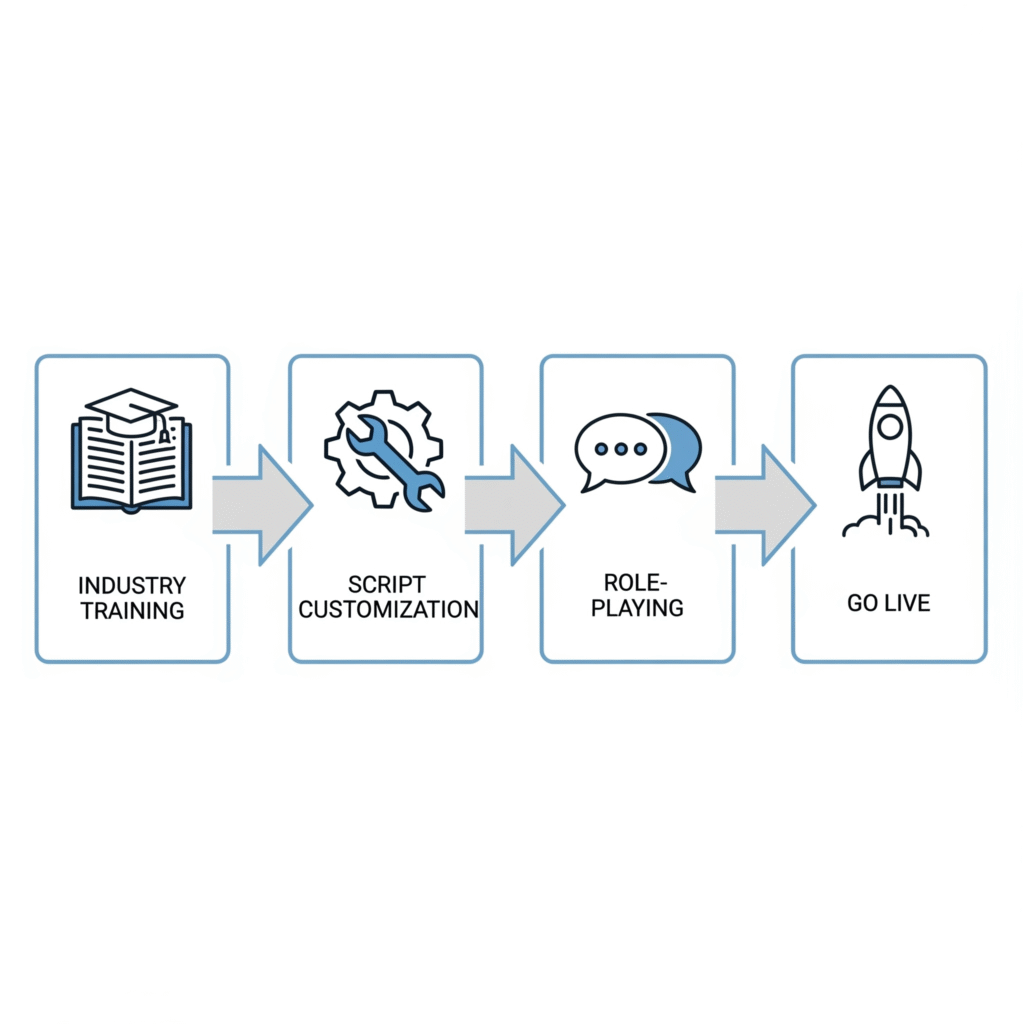
    A 4-step flowchart showing the process for training a virtual assistant on construction call scripts.

    Step 1: Industry Terminology Training

    Before using any scripts, ensure your VA understands:

    • Basic construction terminology relevant to your specific trade
    • Common project types and their general requirements
    • Local building terms and regional preferences
    • Your company’s specific service offerings and limitations

    Step 2: Script Customization

    Work with your VA to:

    • Adapt these template scripts to reflect your company’s voice and approach
    • Add specific qualifying questions relevant to your business focus
    • Include pricing guidelines appropriate for your market
    • Modify scripts based on seasonal offerings or current capacity

    Step 3: Role-Playing and Practice

    Conduct training sessions to:

    • Practice common scenarios with your VA
    • Provide feedback on tone and approach
    • Test knowledge of when to escalate calls
    • Review documentation practices for different call types

    Step 4: Progressive Implementation

    Start with a graduated approach:

    • Begin with basic inquiry handling and message taking
    • Progress to scheduling and routine updates
    • Gradually introduce qualifying and more complex interactions
    • Regularly review call recordings or notes for coaching opportunities

    Measuring Success: KPIs for Construction Call Management

    To ensure your call scripts are delivering results, track these key performance indicators:

    1. Conversion Metrics

    • Inquiry-to-appointment conversion rate
    • Appointment-to-estimate conversion rate
    • Estimate-to-contract conversion rate
    • Overall lead-to-customer conversion percentage

    2. Efficiency Metrics

    • Average call handling time
    • First-call resolution rate
    • Percentage of calls requiring owner/manager intervention
    • Call documentation accuracy and completeness

    3. Customer Experience Metrics

    • Post-call satisfaction ratings
    • Specific feedback on call handling
    • Number of callers specifically requesting to speak with VA
    • Referral mentions attributing quality phone experience

    4. Business Impact Metrics

    • Owner/manager time saved weekly
    • Reduction in missed appointments or follow-ups
    • Improved project preparation due to better call information
    • Increased average project value through proper qualification

    Overcoming Common Challenges with Construction Call Scripts

    Even with excellent scripts, challenges can arise. Here are solutions to common obstacles:

    Challenge: Technical Questions Beyond VA Knowledge

    Solution: Create a tiered response system:

    • Develop a FAQ document for common technical questions
    • Establish clear thresholds for when to transfer calls
    • Create a protocol for technical question documentation and follow-up
    • Consider recording calls (with permission) for training purposes

    Challenge: Emotional or Upset Callers

    Solution: Implement de-escalation training:

    • Add specific de-escalation language to complaint scripts
    • Create clear escalation paths for highly emotional situations
    • Develop “emergency phrases” that signal when manager intervention is needed
    • Provide post-call support for VAs dealing with difficult interactions

    Challenge: High Call Volume Management

    Solution: Implement strategic call prioritization:

    • Create clear categories for call urgency
    • Develop abbreviated scripts for peak volume periods
    • Establish callback protocols for non-urgent matters
    • Consider implementing scheduling tools for non-emergency calls

    Challenge: Converting Calls to Documented Information

    Solution: Standardize documentation processes:

    • Create templated call summary forms
    • Implement immediate post-call documentation requirements
    • Use integrated systems that connect call notes to project files
    • Regularly audit call documentation for completeness

    Cost-Benefit Analysis: The ROI of Professional Call Scripts

    Implementing professional call scripts with a trained construction VA delivers measurable returns:

    Direct Cost Benefits

    Improvement AreaPotential Annual Value
    Reduced missed opportunities$20,000-$50,000
    Owner time reclaimed$15,000-$30,000
    Improved scheduling efficiency$5,000-$15,000
    Better project preparation$10,000-$25,000

    Indirect Benefits

    • Enhanced company reputation through professional communication
    • Reduced stress and improved work-life balance for owners
    • Better client relationships through consistent communication
    • Improved employee satisfaction with clearer communication protocols

    Construction businesses implementing professional call scripts with trained virtual assistants report an average ROI of 4.3x their investment within the first year.

    Ready to Transform Your Construction Business Communication?

    Professional call handling isn’t just about answering the phone—it’s about creating consistent, effective communication that builds your business while freeing you to focus on what you do best.

    With construction-specialized virtual assistants from Citrus Assistants implementing these professional call scripts, you can:

    • Convert more inquiries into profitable projects
    • Reduce time spent managing routine calls and follow-ups
    • Present a consistently professional image to clients and partners
    • Capture critical project information accurately the first time
    • Build stronger relationships through responsive, knowledgeable communication

    Take the first step toward communication excellence. Contact Citrus Assistants today for a free consultation on how our construction-specialized virtual assistants can transform your business communication with professional call scripts and protocols.

    FAQ About Construction Call Scripts

    How long does it take for a VA to become proficient with construction call scripts?

    Most Citrus Assistants virtual assistants become comfortable with basic call scripts within 1-2 weeks. Proficiency with more complex scenarios typically develops within 30-45 days, with ongoing improvements as they gain industry familiarity.

    Can call scripts really replace the knowledge of someone with construction experience?

    Call scripts aren’t designed to replace construction expertise, but rather to create a framework that allows non-technical staff to gather appropriate information, set proper expectations, and determine when to involve technical team members. Well-designed scripts actually highlight when expert input is needed.

    How do we handle calls about services we don’t provide?

    Professional scripts for service misalignment allow your VA to gracefully redirect callers while maintaining goodwill. Consider developing a referral network for common requests outside your service area, which can generate reciprocal referrals and goodwill.

    What about regional differences in construction terminology?

    Effective construction call scripts should be customized for your specific region and target market. During implementation, Citrus Assistants works with you to identify regional terms, local building practices, and market-specific considerations to incorporate into your custom scripts.

    How do call scripts integrate with our existing project management software?

    Modern call scripts should align with your documentation systems. Citrus Assistants can develop scripts that prompt for exactly the information needed for your specific software, creating seamless integration between call handling and project management.

    References and Resources

    1. Construction Management Association of America (CMAA). (2023). “Communication Efficiency in Small to Mid-Size Construction Firms.”
    2. National Association of Home Builders. (2023). “Customer Service Standards in Residential Construction.”
    3. Johnson, R. & Williams, T. (2022). “Administrative Productivity in Construction Management.” Journal of Construction Business Management, 17(2), 103-118.
    4. BuilderTrend Research Division. (2023). “Client Communication Impact on Project Outcomes.”
    5. Construction Business Owner Magazine. (2022). “Survey Results: Administrative Efficiency in Growing Construction Firms.”

    How does your construction business handle important calls? Share your challenges and solutions in the comments below, or contact us to discuss how construction-specialized virtual assistants with professional call scripts might transform your business communication.


  • Why Remote Teams Win in the Insurance World

    Why Remote Teams Win in the Insurance World

    In an industry built on service, precision, and paperwork, insurance agencies need systems that run like clockwork.

    But between handling carrier downloads, processing renewals, and managing client questions, your team can only stretch so far. That’s where remote teams shine.

    Whether you’re a two-person brokerage or a growing agency, going remote with the right support gives you the edge—faster service, lower overhead, and round-the-clock coverage.

    Here’s exactly why remote teams are winning in the insurance world—and how your agency can benefit next.


    The Traditional Model Is Holding Agencies Back

    For decades, the “safe” way to build an insurance agency was to hire in-house. But today, that comes with real pain points:

    • Costly salaries and office overhead
    • Slow hiring and high turnover
    • Limited service hours (especially across time zones)
    • Burnout from admin overload
    • Bottlenecks in document processing and follow-up

    In today’s competitive, client-first environment, this model simply can’t keep up.


    Why Remote Teams Are a Smarter Fit for Modern Insurance

    Let’s break down the core reasons remote teams—especially virtual assistants—are now the top choice for efficient agencies.


    1. Around-the-Clock Responsiveness

    Clients expect fast service. Carriers expect clean paperwork. With a remote team, you can:

    • Extend your service hours beyond 9–5
    • Have someone available during lunch, after-hours, or holidays
    • Respond to client inquiries before they become complaints
    A remote team member sending a follow-up email from a home office at night, demonstrating extended work hours.

    2. Significant Cost Savings

    Hiring in-house CSRs or account managers can cost $50K+ per year—not including benefits, equipment, or space.

    Remote team members (like insurance-trained VAs) deliver the same work for a fraction of the cost—often under $1,100/month for full-time help.

    That’s 60–75% cost savings with zero payroll taxes, office rent, or hiring headaches.


    3. Less Turnover, More Consistency

    The insurance industry sees frequent turnover in entry-level admin roles. Remote teams, especially outsourced virtual assistants, offer:

    • Lower turnover
    • Better documentation and systems
    • Long-term support that doesn’t vanish when someone quits

    You don’t lose momentum every time someone leaves.


    4. Instant Specialization

    Need someone to process endorsements? Handle COIs? Track renewals? Clean up carrier downloads?

    Remote assistants trained in insurance workflows can start handling specific tasks day one—no 6-week training programs required.

    You get plug-and-play support that fits your exact needs.

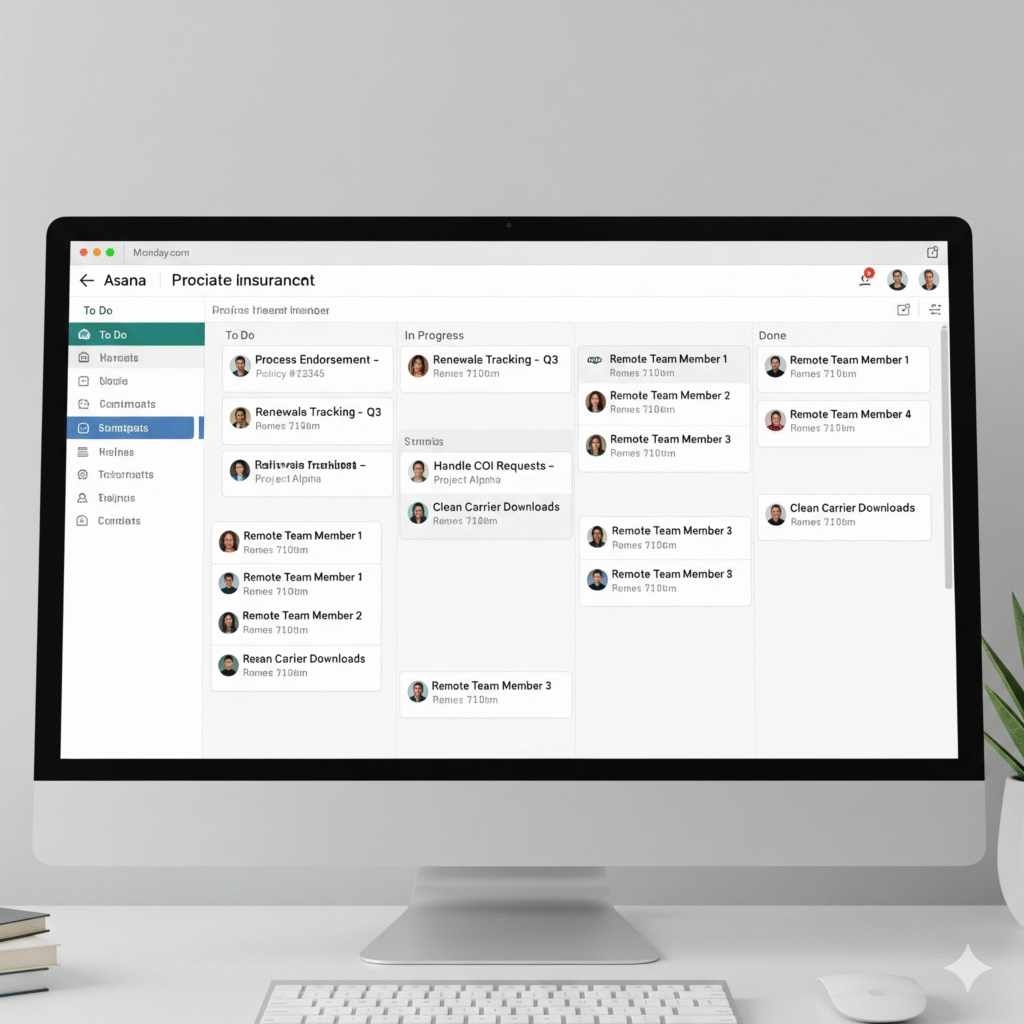
    A digital task board or project management tool with various insurance-related tasks assigned to remote team members.

    5. Focused Producers = More Sales

    When your licensed producers are buried in admin work, they’re not selling. Remote team support removes that roadblock so they can:

    • Spend more time building relationships
    • Close more renewals and new policies
    • Reduce mental clutter and burnout

    Your team works smarter, not harder.


    6. Clients Don’t Know (or Care) Where Your Team Is

    As long as they get:

    • Quick responses
    • Clean documentation
    • Reliable follow-through

    …your clients don’t care if that support came from your back room or a remote assistant three states away.

    In fact, they’ll often get better, faster service than they would from a local-only team.


    What Remote Team Members Can Handle for Your Insurance Agency

    Here are just a few things remote insurance VAs do daily:

    • Manage and clean up carrier downloads
    • Process endorsements and cancellations
    • Track renewals and send reminders
    • Handle COI requests
    • Answer inbound client emails
    • Route urgent calls to your team
    • Prepare policy documents and invoices
    • Keep CRMs and AMS platforms up to date
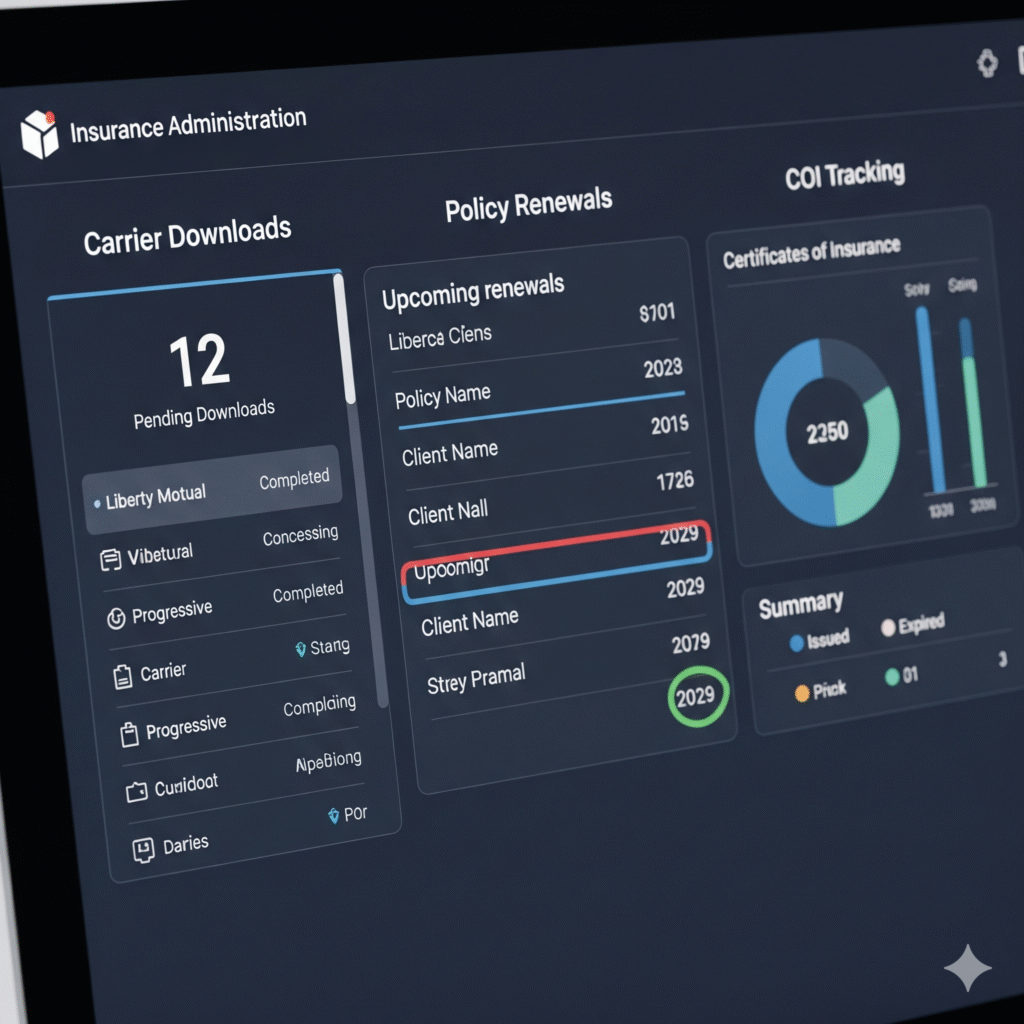
    A detailed insurance administration dashboard on a computer screen, showing tabs for downloads, renewals, and COI tracking.

    When to Start Building Your Remote Insurance Team

    You’re ready if:

    • Your producers are spending 30%+ of their time on admin
    • You’re missing deadlines or slow to respond to client service needs
    • Your in-house staff is overwhelmed
    • You want to grow without increasing office headcount
    • You’re tired of paying $50K/year for help that burns out in 6 months

    Start with one trained VA. Then scale support as your book grows.


    Remote Isn’t the Future. It’s the Present.

    The insurance agencies that scale fastest, serve better, and protect margins aren’t the ones adding more desks. They’re the ones adding smarter systems and remote support.

    You don’t need a bigger team. You need a better one—with the flexibility and focus to move fast and serve well.

     A relaxed insurance agency owner confidently viewing a dashboard showing the performance and efficiency of their remote team.
  • What Is COI Tracking and Why You’re Losing Time on It

    What Is COI Tracking and Why You’re Losing Time on It

    If you run a construction company, you’ve definitely dealt with Certificates of Insurance (COIs). And if you’re still managing them manually, there’s a good chance you’re wasting hours every week chasing paperwork and scrambling before inspections.

    A folder labeled "Certificates of Insurance" sits on a desk next to a construction hard hat and laptop.

    But what exactly is COI tracking? And why is it eating up so much of your time?

    Let’s break it down in plain terms—and show you how to offload it without dropping the ball.


    What Is a Certificate of Insurance (COI)?

    A COI is a one-page summary that proves a subcontractor or vendor has active insurance coverage. It shows key details like:

    • Policyholder name
    • Insurance company
    • Policy number
    • Coverage types (general liability, workers’ comp, auto, etc.)
    • Coverage limits
    • Policy effective and expiration dates

    Clients and general contractors require them to ensure everyone working on site is properly insured.


    What Is COI Tracking?

    COI tracking is the ongoing process of:

    • Collecting COIs from subcontractors, vendors, and other third parties
    • Verifying coverage levels meet your project/client requirements
    • Logging expiration dates and policy details in a tracker or spreadsheet
    • Following up for renewals before a policy expires
    • Ensuring no one is working on site with an expired or missing COI

    Done right, COI tracking protects you from massive liability. Done wrong—or neglected—it opens you up to risk, fines, or even project shutdowns.


    Why You’re Losing Time (and Money) on COI Tracking

    Let’s say you’re handling COIs yourself or relying on your site foreman to manage them. Here’s what likely happens:

    1. You chase documents piecemeal

    You’re texting or emailing subs for missing COIs days before work starts—or worse, while the job is already underway.

    2. You forget renewal dates

    If you’re not tracking expiration dates, subs could be uninsured without you knowing it.

    3. You verify details manually

    Every COI has to be checked—line by line—to make sure coverage limits meet project requirements. That takes time.

    4. You store files inconsistently

    Some are on your phone, some in email threads, some on your desktop. When an auditor or GC asks for proof, it’s a scramble.


    Real Risks of Poor COI Tracking

    • Working with uninsured subcontractors
    • Delays from failed inspections or audits
    • Rejected claims because of missing coverage
    • Client trust issues and lost contracts
    • Extra admin time every time a project starts
    A frustrated construction owner with his head in his hands, surrounded by disorganized paperwork at his desk.

    This is one of those back-office tasks that isn’t urgent—until it becomes a big problem.


    How a Virtual Assistant Handles COI Tracking for You

    A trained virtual assistant (VA) can take full control of your COI process. Here’s what they do:

    ✅ Collect COIs from every new subcontractor or vendor

    They request and organize the documents before the job starts.

    ✅ Track expiration dates in a shared system

    They use a spreadsheet or software to set up reminders 30 days before expiration.

    ✅ Verify insurance limits match your project/client requirements

    No more guessing or missing details—your VA reviews every line item.

    ✅ Follow up for renewals automatically

    They reach out to vendors for updated COIs so you’re never caught off guard.

    ✅ Keep everything stored in one clean, accessible folder

    Whether it’s Google Drive or Dropbox, your documents are always ready when needed.

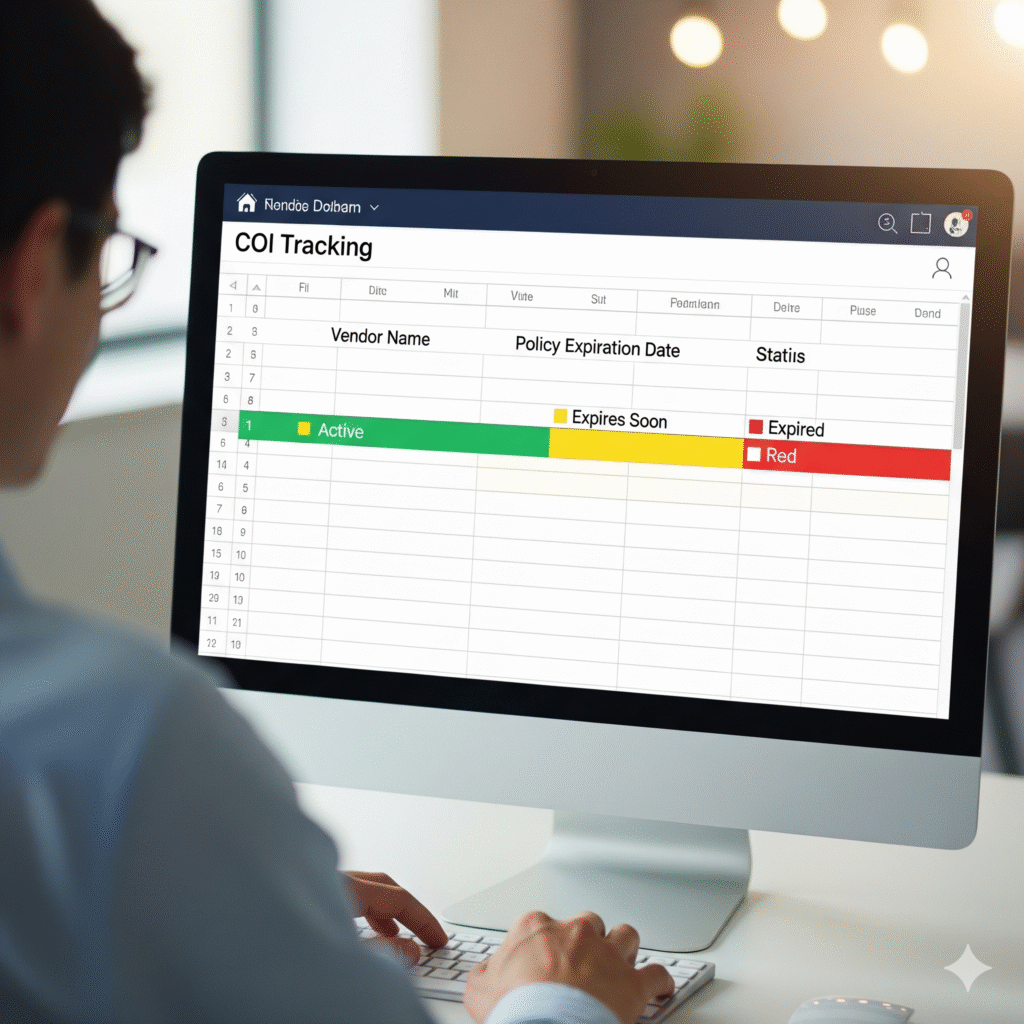
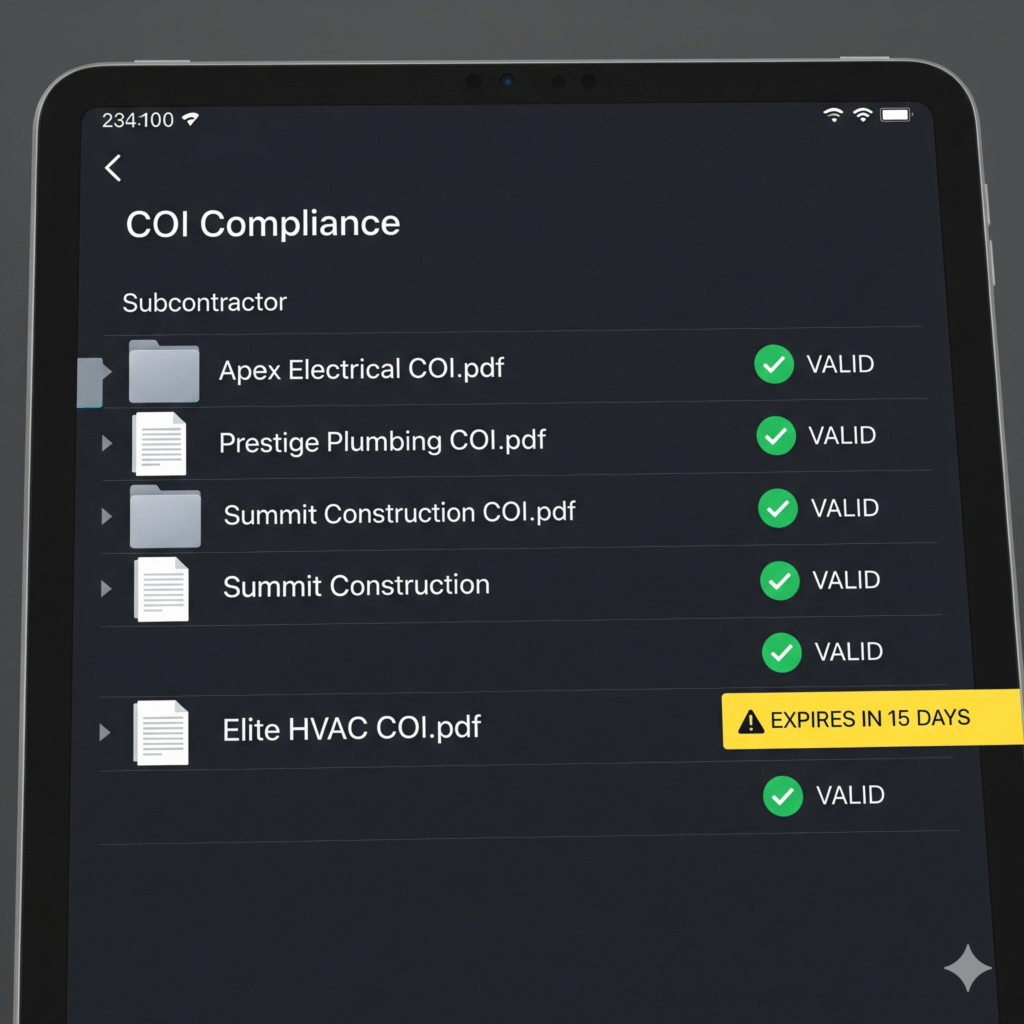
    An organized digital COI tracking dashboard on a computer screen, showing vendor names and color-coded expiration dates.

    What This Saves You (Every Single Week)

    • 3–5 hours of admin follow-up
    • The panic of missing documentation during a surprise audit
    • Liability from uninsured subs on site
    • Missed jobs because of delayed compliance
    • The mental load of having to “remember everything”

    All gone. All delegated.


    Signs It’s Time to Hand Off COI Tracking

    • You’re manually emailing subs for COIs before every job
    • You’ve had at least one expire without realizing it
    • You can’t find half your COIs without digging
    • You’re not sure if coverage limits are compliant
    • You’ve lost time or trust over document issues

    If any of these hit home, it’s time to delegate the task entirely.


    Get Out of the COI Admin Loop

    You don’t need to handle this process yourself. And you definitely don’t need to hire a full-time office admin just for insurance paperwork.

    A remote assistant trained in construction admin can manage your COIs with precision—so you never have to think about it again.

    Because the only thing worse than chasing paperwork… is facing a lawsuit for not having it.

  • Outsourcing Construction Admin Work: Top 5 Daily Tasks

    Outsourcing Construction Admin Work: Top 5 Daily Tasks

    Running a construction business means balancing job sites, subcontractors, materials, deadlines—and a ton of paperwork.

    But here’s the truth: most of the admin work slowing you down doesn’t need to be done in-house.

    By outsourcing your construction admin tasks to a skilled virtual assistant (VA), you can reclaim hours in your day, reduce overhead, and operate more efficiently without hiring full-time staff.

    Let’s break down the top 5 daily tasks construction companies are outsourcing—and how a VA can handle them better, faster, and cheaper.


    1. Handling Inbound and Outbound Calls

    Missed calls = missed money.

    Construction businesses rely heavily on fast communication—whether it’s a vendor asking for delivery instructions or a client needing an update.

    A VA can:

    • Answer your business line during working hours
    • Route urgent calls to you or your foreman
    • Return voicemails and missed calls quickly
    • Schedule follow-ups and site visits
    • Take detailed call notes and add them to your system

    No more losing jobs because you were on the ladder or in transit. Your VA keeps your business responsive and professional.


    2. Booking Jobs, Site Visits, and Team Meetings

    When you’re on the go, managing your calendar is one of the first things to fall apart.

    A VA trained in construction admin can:

    • Book new jobs and schedule initial client meetings
    • Coordinate subcontractors’ availability
    • Create a weekly crew schedule and email it out
    • Handle reschedules and cancellations smoothly
    • Send appointment confirmations and reminders

    Let your VA be the one keeping your schedule in sync—so your crews show up on time and your clients stay informed.


    3. Managing Certificates of Insurance (COIs)

    This is one of the most overlooked admin tasks—and also one of the riskiest to ignore.

    A VA can take full control of your COI process:

    • Collect COIs from every sub or vendor
    • Track expiration dates in a shared system
    • Send renewal reminders in advance
    • Ensure every file is labeled, stored, and accessible
    • Confirm coverage meets project/client requirements

    With a VA, you’re always audit-ready—and you never have to chase paperwork again.


    4. Preparing Proposals, Estimates, and Client Emails

    You know the job. You walk the site. But when it comes time to sit down and write that proposal—you delay it.

    Your VA can:

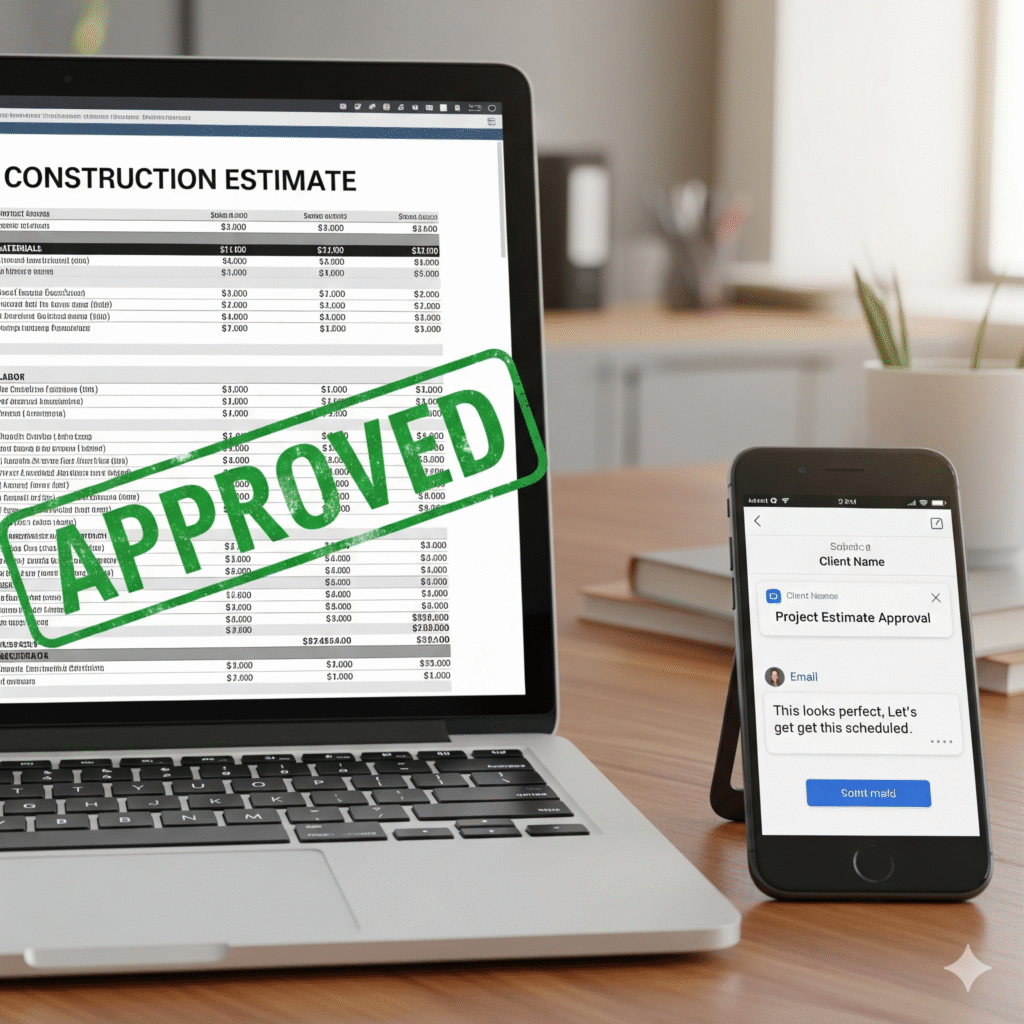
    • Use your templates to create polished estimates
    • Send follow-up emails after site visits
    • Attach files and photos from the field
    • Track which proposals are pending, approved, or declined

    This keeps jobs moving forward—and ensures no lead goes cold just because you didn’t have time to write a follow-up.


    5. Organizing Invoices, Receipts, and Payroll-Ready Info

    Even if you use software like QuickBooks or Buildertrend, someone still needs to enter and organize the data. That’s where a VA becomes essential.

    They can:

    • Log daily expenses and material receipts
    • Organize vendor invoices
    • Track hours from job site reports or crew logs
    • Prepare documents needed for weekly payroll
    • Maintain a live spreadsheet of job costing

    With this off your plate, you avoid payroll errors, stay on budget, and know exactly where the money’s going.


    The Real-World Impact of Outsourcing Your Admin

    When you delegate these 5 daily tasks, here’s what happens:

    • You get 2–4 hours back every single day
    • Your job site coordination becomes tighter
    • Clients hear back faster—and trust you more
    • You stop working nights to “catch up on paperwork”
    • You scale without hiring full-time admin staff

    You didn’t start your company to get buried in emails and forms. You started it to build—and grow.

    What Makes a Great Construction VA?

    The best virtual assistants for construction companies are:

    • Familiar with construction lingo and workflows
    • Comfortable working in EST/PST time zones
    • Detail-oriented and responsive
    • Trained in tools like Google Drive, Dropbox, Slack, or Buildertrend
    • Able to handle multiple tasks without constant supervision

    You don’t need someone full-time in your office. You just need the right person supporting you—remotely.


    Final Word: Scale Smarter, Not Harder

    You don’t need to hire a team of admins to stay organized.

    You need just one reliable assistant who knows construction—and can handle your daily workload without breaking the bank.

    From COIs to calls to proposals, outsourcing your admin means less stress, better systems, and faster growth.

    And that’s how smart construction companies scale.

  • How VAs Help With Subcontractor Coordination

    How VAs Help With Subcontractor Coordination

    Subcontractor coordination can either keep your job sites running like clockwork—or turn them into a logistical mess.

    You’re dealing with multiple trades, shifting schedules, missed deliveries, and last-minute changes. And if you’re handling it all yourself, you’re spending more time texting, calling, and chasing updates than actually managing the project.

    The fix? Let a trained virtual assistant (VA) take the coordination burden off your plate.

    Here’s how VAs help contractors stay organized, on schedule, and ahead of the chaos.


    The Real Problem With Subcontractor Coordination

    When you’re running a job, subcontractor coordination isn’t just a checklist—it’s a full-time communication loop. And most construction owners are stuck doing it all themselves.

    That leads to:

    • Miscommunication between trades
    • Missed site updates
    • Delayed materials or inspections
    • Overlapping crews and wasted time
    • Endless texts, calls, and back-and-forth

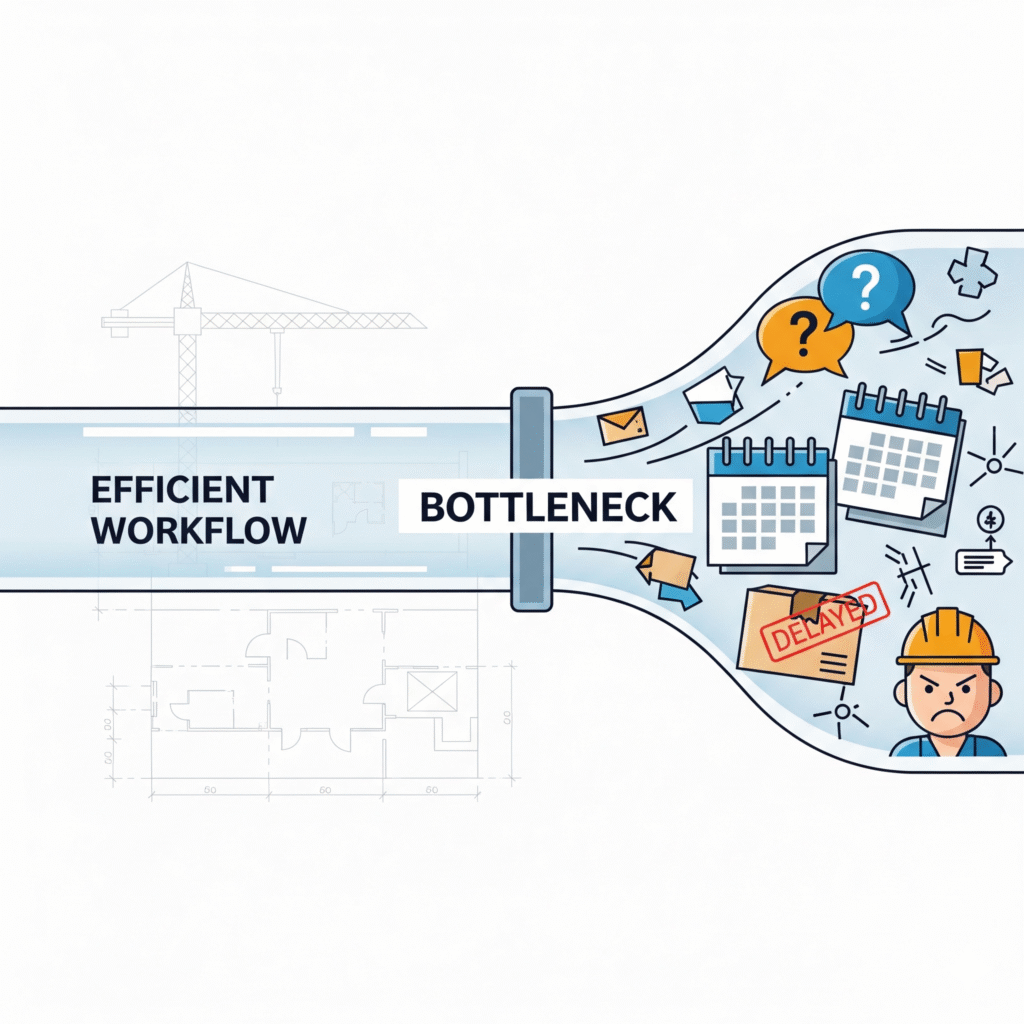
    The more jobs you juggle, the more coordination becomes your bottleneck.


    What a Virtual Assistant Can Handle for You

    A construction-savvy VA can support subcontractor coordination in five major ways:

    ✅ Scheduling and Calendar Syncing

    • Reach out to subs to confirm availability
    • Coordinate arrival times based on job phases
    • Send calendar invites or reminders to each crew
    • Adjust timelines based on weather or inspection delays

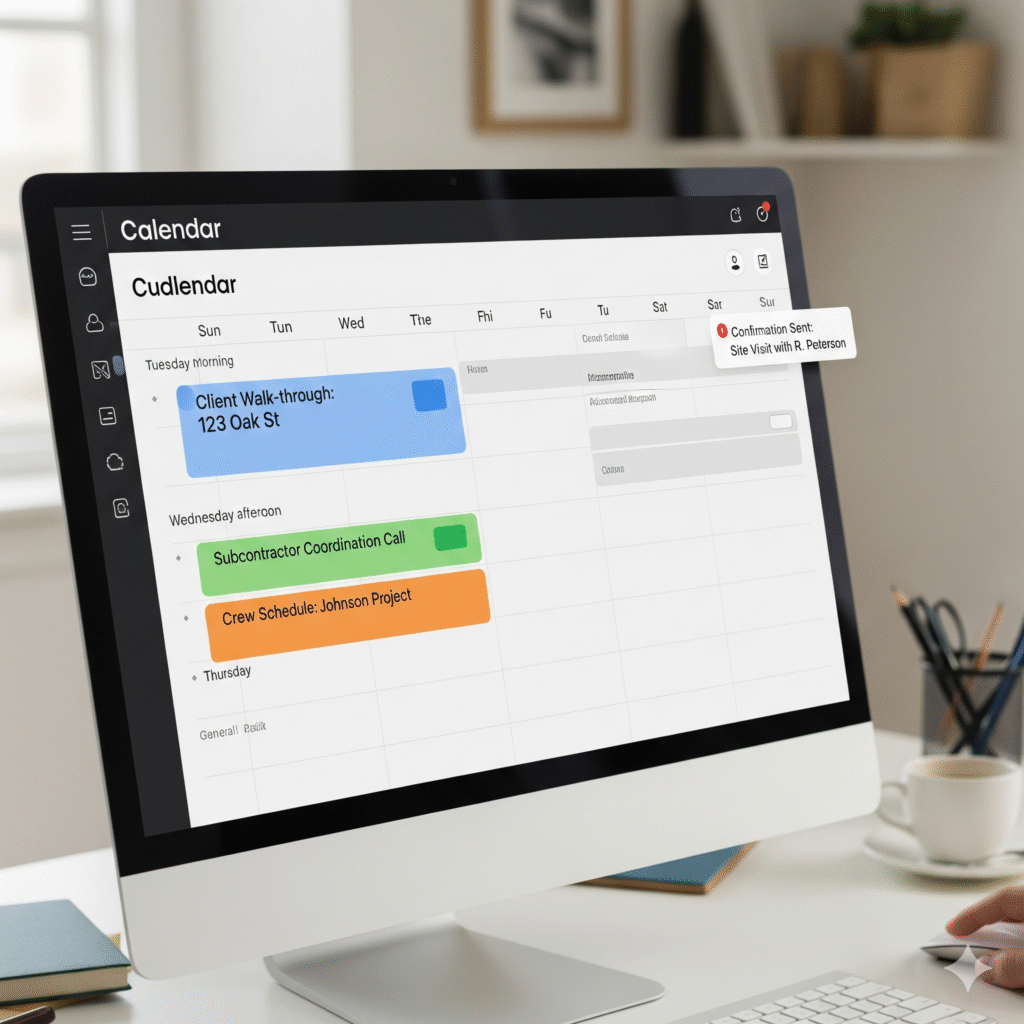
    [ADD STOCK IMAGE: COLOR-CODED CONSTRUCTION SCHEDULE ON COMPUTER SCREEN WITH CREW NAMES]


    ✅ Daily Check-Ins and Updates

    • Message or call subs each morning for status updates
    • Confirm who’s arriving, when, and what they need
    • Notify you immediately of delays or no-shows
    • Update the job log or shared dashboard

    ✅ Centralized Communication Hub

    • Use Slack, email, or text to manage all sub interactions
    • Keep a record of every update, instruction, or question
    • Ensure nothing slips through the cracks—no more lost texts

    ✅ Material and Equipment Coordination

    • Confirm material deliveries are scheduled before the crew arrives
    • Coordinate with suppliers or rental companies
    • Make sure subs have what they need before showing up on site

    [ADD STOCK IMAGE: VIRTUAL ASSISTANT ON CALL WITH MATERIAL SUPPLIER, CHECKLIST ON SCREEN]


    ✅ Post-Job Wrap-Ups and Documentation

    • Collect subcontractor invoices and COIs
    • Confirm completed work for milestone payments
    • Log notes, issues, or punch list items for each crew
    • Prepare reports or updates for you to review

    Why Subcontractors Actually Prefer Working With a VA

    Subs want clarity, quick responses, and zero confusion. When a VA manages the communication:

    • They get faster answers
    • They know exactly when and where to show up
    • They waste less time waiting on instructions
    • They feel more respected and professionalized

    That means better work, fewer mistakes, and smoother job sites.


    You Stay Focused. Your VA Handles the Chatter.

    As the owner, your job is to manage the project, not every phone call or schedule change.

    With a VA in place:

    • You get a daily briefing, not dozens of calls
    • You can step away from your phone without fear
    • You spend your time on strategy, sales, or site visits
    • You scale without hiring another full-time coordinator

    [ADD STOCK IMAGE: BUSINESS OWNER MEETING WITH CLIENT WHILE VA HANDLES PHONE COMMUNICATION]


    Signs You Need a VA for Subcontractor Coordination

    • You’re constantly texting subs during dinner
    • You’ve had crews show up on the wrong day
    • You forgot to confirm materials for a job
    • You’re re-explaining things over and over
    • You’re falling behind on more than one project at once

    If that’s you, it’s time to get admin support.


    What Makes a Great VA for Sub Coordination?

    • Strong communication skills (email, phone, Slack, etc.)
    • Familiar with basic construction workflows and trades
    • Comfortable using shared calendars and project trackers
    • Organized enough to follow up without reminders
    • Able to work in U.S. time zones and communicate clearly

    You don’t need someone in your office—you need someone reliable in your corner.


    Free Yourself From the Coordination Bottleneck

    Subcontractor coordination is essential—but it doesn’t have to be your job.

    Let a VA take over the communication, follow-ups, and scheduling while you focus on running better projects and growing the business.

    Because the faster you delegate the admin, the faster your jobs move forward.

  • How Small Brokerages Can Grow Without Hiring Full-Time Staff: The Virtual Assistant Solution

    How Small Brokerages Can Grow Without Hiring Full-Time Staff: The Virtual Assistant Solution

    Introduction: The Growth Dilemma for Small Brokerages

    Are you a small brokerage owner feeling trapped between growth ambitions and limited resources? You’re not alone. According to industry data, approximately 68% of small insurance brokerages identify staffing constraints as their primary barrier to growth. As client demands increase and regulatory requirements become more complex, the administrative burden becomes overwhelming—but hiring full-time staff at $50,000+ per year can quickly erode your profit margins.

    Fortunately, there’s a strategic alternative that’s revolutionizing how small brokerages scale: virtual assistants. This comprehensive guide explores how insurance brokerages can leverage virtual assistant services to achieve sustainable growth without the financial strain of hiring full-time employees.

    Quick Takeaway: Small brokerages can save up to 76% on operational costs by utilizing virtual assistants instead of full-time staff while maintaining high-quality service delivery and creating capacity for business development.

    The Staffing Challenge: Why Traditional Hiring Holds Brokerages Back

    Cost Barriers of Traditional Staffing

    For small insurance brokerages, the financial reality of hiring full-time staff is often prohibitive:

    • Salary Expenses: Customer Service Representatives (CSRs) typically command salaries starting at $50,000 annually
    • Benefits Costs: Health insurance, retirement contributions, and other benefits add 20-30% to base salary
    • Training Investment: New employees require 3-5 months of training before reaching optimal productivity
    • Office Space & Equipment: Each new hire necessitates additional workspace, computers, and supplies

    These expenses can quickly consume capital that could otherwise be invested in business development, marketing initiatives, or technology upgrades that drive growth.

    Operational Inefficiencies

    Beyond the direct costs, traditional staffing models create several operational challenges:

    • Fluctuating Workloads: Insurance brokerages often experience seasonal peaks that leave staff either overwhelmed or underutilized
    • Administrative Overhead: HR management, payroll processing, and compliance requirements divert focus from core business activities
    • Capacity Limitations: Physical office constraints may restrict expansion potential
    • Productivity Gaps: Sick days, vacations, and turnover create service disruptions and knowledge gaps

    Virtual Assistants: The Strategic Growth Alternative for Brokerages

    What Makes Virtual Assistants Ideal for Insurance Brokerages

    Virtual assistants represent a flexible, cost-effective solution perfectly aligned with the operational needs of small brokerages:

    • Specialized Knowledge: Many virtual assistant services (like Citrus Assistants) offer industry-specific support with professionals already familiar with insurance terminology and processes
    • Scalable Support: Services can be adjusted based on seasonal demands and growth patterns
    • Cost Efficiency: Virtual assistants cost as little as $12,000 annually compared to $50,000+ for full-time CSRs
    • Immediate Productivity: Experienced virtual assistants require minimal training before handling essential tasks

    Core Insurance Tasks Virtual Assistants Can Handle

    Virtual assistants can manage a comprehensive range of insurance-related administrative functions:

    Client Management

    • Processing new client applications
    • Managing policy renewals and updates
    • Handling routine client inquiries
    • Sending policy documents and information

    Documentation & Compliance

    • Managing certificates of insurance
    • Processing carrier downloads
    • Organizing policy documentation
    • Maintaining compliance records

    Administrative Support

    • Scheduling client meetings and follow-ups
    • Managing email communications
    • Data entry and database management
    • Calendar organization and appointment setting

    Business Development Support

    • Lead management and follow-up coordination
    • Market research and competitor analysis
    • Creating presentation materials
    • Social media management and content scheduling

    Case Study: How Citrus Assistants Transformed a Small Insurance Brokerage

    Before Virtual Assistant Integration

    Pacific Northwest Insurance Advisors, a small brokerage with three licensed agents, struggled with administrative bottlenecks that limited their growth potential:

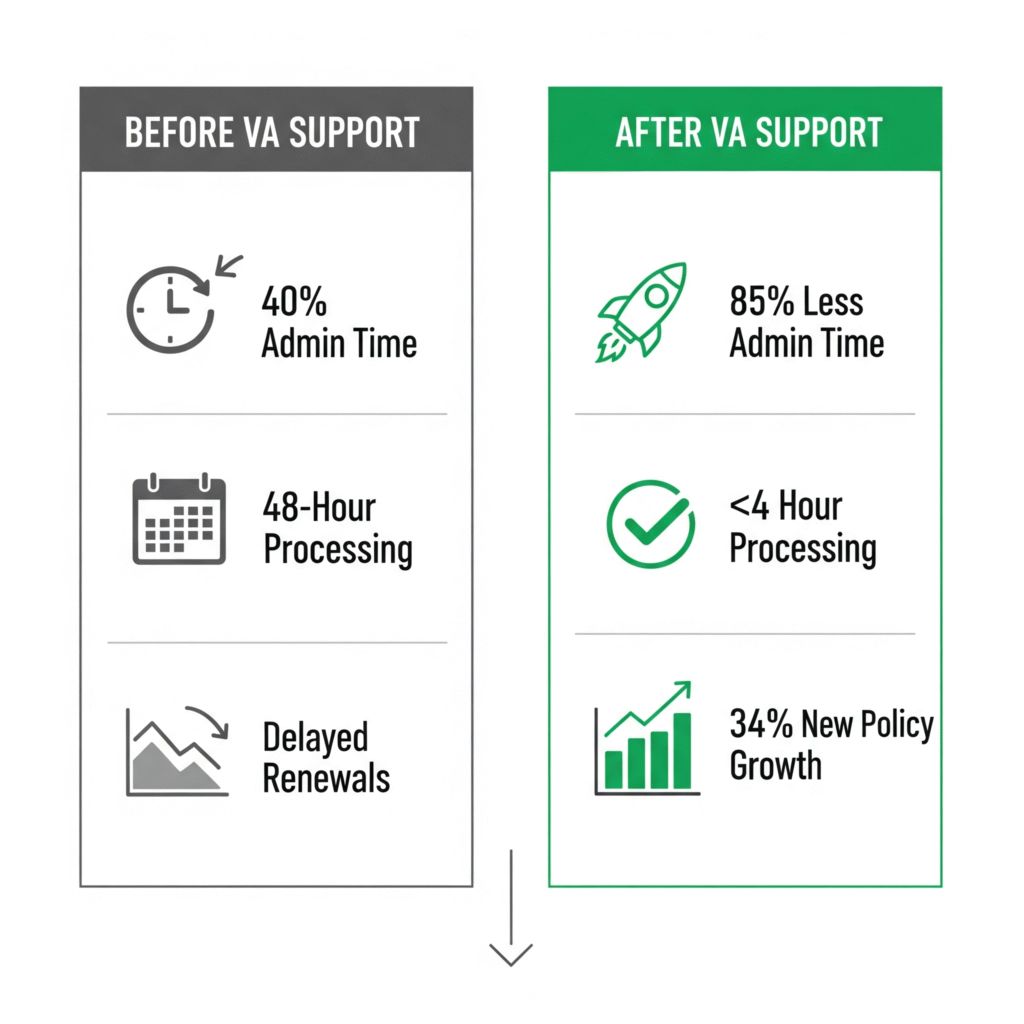
    • Agents spent 40% of their time on administrative tasks instead of client acquisition
    • Certificate of insurance requests took an average of 48 hours to process
    • Client response times averaged 24+ hours during busy periods
    • Renewal follow-ups were frequently delayed, resulting in potential policy lapses

    After Implementing Citrus Assistants

    Within 90 days of partnering with Citrus Assistants, Pacific Northwest Insurance Advisors experienced remarkable improvements:

    • Administrative time for agents decreased by 85%, freeing 30+ hours weekly for business development
    • Certificate processing time reduced to under 4 hours
    • Client response times improved to same-day service (average 3.5 hours)
    • Renewal management became proactive with 30-day advance communications
    • Monthly new policy sales increased by 34% due to agents’ increased availability for sales activities

    Most importantly, these improvements came at less than one-third the cost of hiring a full-time CSR, allowing the brokerage to invest the savings in marketing initiatives that further accelerated growth.

    The Implementation Roadmap: How to Integrate Virtual Assistants Into Your Brokerage

    Step 1: Operational Assessment

    Begin by identifying the administrative tasks consuming the most time and determining which could be effectively delegated:

    • Track time spent on various activities for 1-2 weeks
    • Identify processes that follow consistent patterns
    • Document existing workflows and standard procedures
    • Prioritize tasks based on time consumption and delegation potential

    Step 2: Strategic Selection

    When choosing a virtual assistant service, prioritize providers with:

    • Insurance Industry Experience: Familiarity with insurance terminology and processes
    • Compliance Knowledge: Understanding of documentation requirements and privacy regulations
    • Communication Skills: Professional client interaction capabilities
    • Technology Proficiency: Experience with common insurance software and platforms

    Step 3: Systematic Integration

    Create a structured onboarding plan:

    • Develop clear process documentation
    • Schedule regular check-ins during the transition period
    • Start with less complex tasks before progressing to more involved responsibilities
    • Establish clear communication protocols and expectations

    Step 4: Continuous Optimization

    Regularly evaluate performance and adjust as needed:

    • Track key performance metrics (response times, task completion rates)
    • Gather client feedback on service quality
    • Identify opportunities for additional task delegation
    • Implement regular process improvement reviews

    ROI Analysis: The Financial Impact of Virtual Assistants for Small Brokerages

    Cost Comparison: Full-Time CSR vs. Virtual Assistant

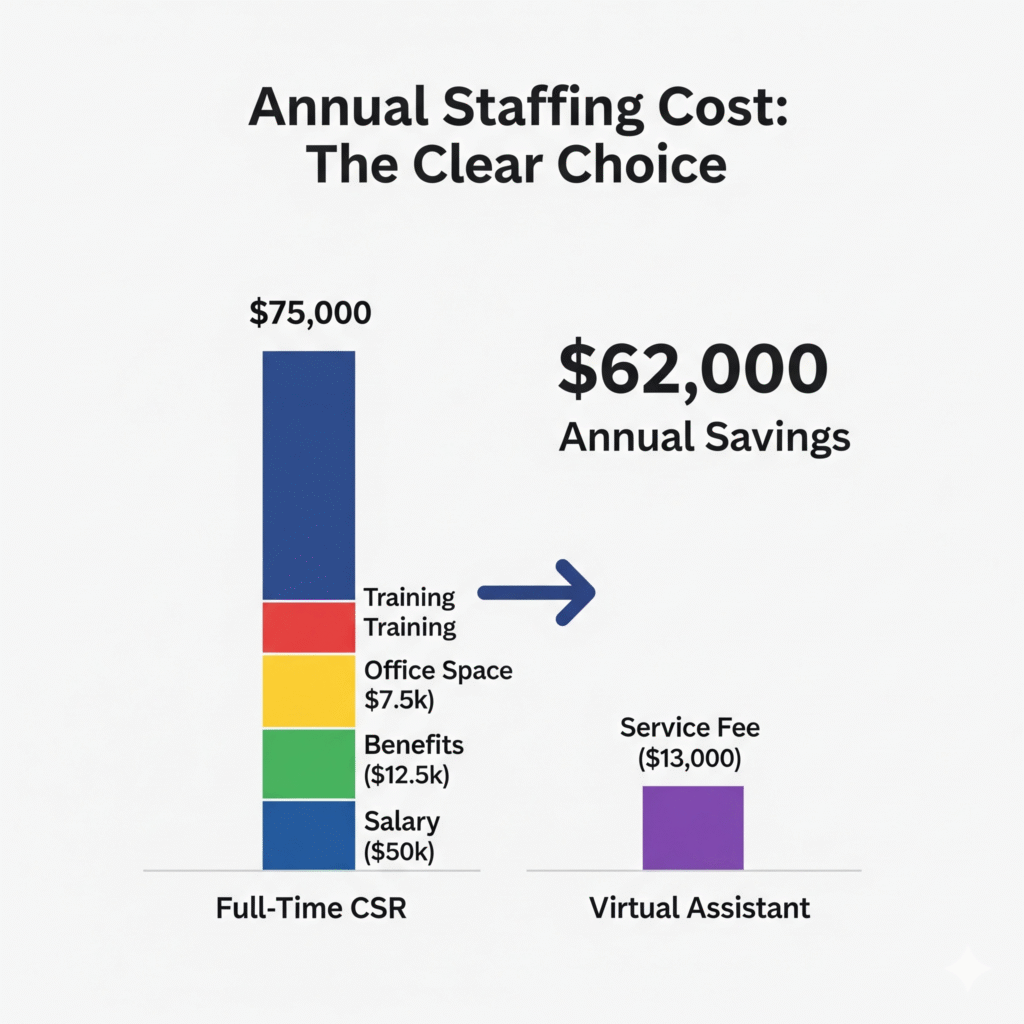
    Expense CategoryFull-Time CSRVirtual AssistantAnnual Savings
    Base Compensation$50,000$12,000$38,000
    Benefits (25%)$12,500$0$12,500
    Office Space/Equipment$7,500$0$7,500
    Training & Management$5,000$1,000$4,000
    Total Annual Cost$75,000$13,000$62,000

    Growth Impact Analysis

    Beyond direct cost savings, virtual assistants enable revenue growth through:

    1. Increased Sales Capacity: Licensed agents can spend 30%+ more time on revenue-generating activities
    2. Improved Client Retention: Faster response times and proactive service management increase retention rates by up to 25%
    3. Enhanced Market Responsiveness: Administrative flexibility allows for quicker adaptation to market opportunities
    4. Reduced Operational Risk: Distributed support reduces vulnerability to staffing disruptions

    Common Concerns About Virtual Assistants for Insurance Brokerages

    Privacy and Security

    Concern: Insurance brokerages handle sensitive client information, raising concerns about data security with remote assistants.

    Solution: Reputable virtual assistant services like Citrus Assistants implement rigorous security protocols including:

    • Comprehensive background checks for all assistants
    • Secure, encrypted communication channels
    • Strict confidentiality agreements
    • HIPAA and industry-specific compliance training
    • Regular security audits and updates

    Quality Control

    Concern: Maintaining consistent service quality with remote team members seems challenging.

    Solution: Effective virtual assistant partnerships incorporate:

    • Detailed performance metrics and regular quality reviews
    • Recorded calls and communication logs for training purposes
    • Client satisfaction tracking
    • Standardized workflows and checklists
    • Regular performance feedback and improvement processes

    Client Perception

    Concern: Clients might perceive virtual support as less personal or professional.

    Solution: This concern can be addressed through:

    • Thoughtful introduction of virtual team members as integral parts of your brokerage
    • Consistent communication styles and service standards
    • Clear explanation of how the model benefits clients through enhanced availability and response times
    • Regular client satisfaction surveys to ensure positive experiences

    Choosing the Right Virtual Assistant Service for Your Brokerage

    When selecting a virtual assistant provider like Citrus Assistants, evaluate these critical factors:

    Insurance Industry Expertise

    Look for providers with:

    • Demonstrated knowledge of insurance terminology and processes
    • Experience with certificate management and policy documentation
    • Understanding of compliance requirements
    • Familiarity with common insurance platforms and software

    Service Flexibility

    Prioritize services offering:

    • Adjustable support hours based on your needs
    • Ability to scale support during busy periods
    • Customizable service packages
    • Adaptability to your specific workflows

    Communication and Accountability

    Effective providers deliver:

    • Regular performance reporting
    • Clear communication protocols
    • Dedicated account management
    • Transparent issue resolution processes

    Technology Integration

    Ensure compatibility with:

    • Your current CRM and management systems
    • Document handling workflows
    • Communication platforms
    • Security requirements

    Future-Proofing Your Brokerage: The Long-Term Benefits of Virtual Support

    Implementing virtual assistant support positions small brokerages for sustainable long-term success through:

    Scalable Growth Model

    As your brokerage expands, virtual support can scale proportionally without the step-function costs of traditional hiring. This creates a smoother growth trajectory and more predictable cost structure.

    Competitive Advantage

    The operational efficiency gained through virtual support allows small brokerages to offer response times and service levels comparable to much larger competitors, leveling the playing field.

    Focus on Expertise

    By delegating administrative functions, brokers can concentrate on developing deeper expertise in specialized insurance areas, creating valuable market differentiation.

    Technological Adaptation

    Virtual assistants often bring experience with diverse technologies, helping brokerages more easily adopt and implement new software solutions that drive further efficiency.

    Conclusion: The Virtual Assistant Path to Sustainable Brokerage Growth

    Small insurance brokerages no longer need to choose between growth and financial stability. Virtual assistants represent a transformative solution that addresses the core challenges of traditional staffing while enabling sustainable expansion.

    By implementing a thoughtful virtual assistant strategy, brokerages can reduce operational costs by up to 76%, free licensed professionals to focus on revenue-generating activities, and deliver enhanced client service—creating a foundation for long-term growth and competitiveness.

    Ready to transform your brokerage’s growth potential without the burden of full-time hiring? Citrus Assistants specializes in providing virtual support tailored specifically to the needs of small insurance brokerages. Our team understands the unique challenges of the insurance industry and delivers seamless administrative support at a fraction of traditional staffing costs.

    Contact Citrus Assistants today for a free consultation to discover how virtual support can accelerate your brokerage’s growth while optimizing operational efficiency.

    FAQ: Virtual Assistants for Insurance Brokerages

    How quickly can a virtual assistant become productive in an insurance brokerage environment?

    Virtual assistants with insurance industry experience, like those at Citrus Assistants, can become productive within 1-2 weeks for basic tasks and 3-4 weeks for more complex responsibilities. The onboarding timeline depends primarily on the complexity of your specific systems and processes. Most brokerages see significant productivity improvements within the first month of implementation.

    What specific insurance software platforms are most virtual assistants familiar with?

    Experienced insurance virtual assistants typically have knowledge of common industry platforms such as Applied Epic, AMS360, QQ Solutions, Vertafore, and EZLynx. When selecting a virtual assistant service, verify their experience with your specific software. Citrus Assistants ensures their insurance specialists receive training on major insurance platforms before client assignment.

    How do virtual assistants handle the confidential nature of insurance information?

    Reputable virtual assistant services implement rigorous data security practices including signed confidentiality agreements, secure access protocols, encrypted communications, regular security training, and compliance with industry regulations. Citrus Assistants’ virtual team members undergo comprehensive background checks and receive ongoing training on data protection best practices specific to the insurance industry.

    Can virtual assistants help with insurance license maintenance and continuing education requirements?

    Yes, virtual assistants can manage many aspects of license maintenance including tracking renewal deadlines, organizing continuing education documentation, submitting renewal applications, and maintaining compliance records. While they cannot complete the actual continuing education requirements for licensed staff, they can handle the administrative aspects of the process, ensuring timely renewals and compliance.

    What is the typical cost savings percentage when comparing virtual assistants to full-time insurance staff?

    Small insurance brokerages typically save between 65-80% on operational costs when utilizing virtual assistants compared to full-time staff. For example, a CSR position costing $75,000 annually (including salary, benefits, workspace, and management overhead) can be replaced with virtual assistant services starting at approximately $13,000 per year, representing a 76% reduction in staffing costs.


    Have you implemented virtual assistant support in your brokerage? Share your experience in the comments below or ask any questions you might have about making the transition!

    References

    1. Insurance Journal. (2023). “Small Agency Report: Administrative Challenges and Growth Barriers.”
    2. National Association of Insurance Commissioners. (2024). “Agency Staffing Models and Operational Efficiency.”
    3. Bureau of Labor Statistics. (2024). “Occupational Employment and Wages: Insurance Agencies and Brokerages.”
    4. Journal of Insurance Operations. (2023). “Virtual Support Models in Small to Medium Insurance Agencies.”
    5. Independent Insurance Agents & Brokers of America. (2024). “Agency Universe Study.”
  • How Contractors Can Avoid Project Delays Using Virtual Assistants: The Ultimate Guide

    How Contractors Can Avoid Project Delays Using Virtual Assistants: The Ultimate Guide

    Are you a contractor constantly battling against the clock? If you find yourself stretched thin between managing client expectations, coordinating subcontractors, handling paperwork, and actually completing projects, you’re not alone. According to the Construction Management Association of America, administrative tasks consume up to 30% of a typical contractor’s workweek—valuable time that could be spent on job sites or securing new business.

    Project delays are among the most frustrating and costly challenges in the construction industry. A recent survey by FMI Corporation revealed that 89% of contractors experience schedule overruns, with administrative bottlenecks being a leading cause. These delays don’t just impact timelines; they erode client trust, strain subcontractor relationships, and ultimately damage your bottom line.

    But what if there was a way to streamline your administrative workload without hiring expensive full-time staff? Enter virtual assistants—specifically those who understand the unique demands of the construction industry. In this comprehensive guide, we’ll explore how construction-focused virtual assistants can help contractors prevent delays, improve project flow, and ultimately deliver better results for clients.

    The Hidden Administrative Burden in Construction Projects

    Before diving into solutions, it’s important to understand the full scope of administrative tasks that contribute to project delays. Construction projects generate an enormous amount of paperwork and coordination requirements that often fall squarely on the contractor’s shoulders—especially for small operations with 1-5 employees.

    Common Administrative Tasks Consuming Contractors’ Time

    The administrative workload for contractors typically includes:

    • Document management: Organizing contracts, change orders, permits, and certificates of insurance
    • Schedule coordination: Juggling subcontractor availability, deliveries, and inspections
    • Client communication: Responding to inquiries, providing updates, and managing expectations
    • Vendor management: Sourcing materials, negotiating prices, and tracking deliveries
    • Compliance documentation: Ensuring all necessary permits, licenses, and certifications are current
    • Invoice processing: Creating, sending, and tracking invoices and payments
    • Email and call management: Handling the constant flow of communication across multiple projects

    According to a study by the National Association of Home Builders, contractors spend an average of 15-20 hours per week on these types of administrative tasks—time that directly impacts their ability to be present on job sites supervising work and ensuring quality.

    How Administrative Bottlenecks Lead to Project Delays

    The connection between administrative tasks and project delays might not always be obvious, but industry data shows clear correlations:

    1. Documentation delays: Permits not filed on time, missing certificates of insurance, or incomplete contracts can halt projects immediately
    2. Communication gaps: Missed calls, delayed email responses, or failure to update clients can create cascading schedule problems
    3. Coordination failures: When subcontractor scheduling falls through the cracks, it creates domino effects throughout the project timeline
    4. Material ordering issues: Late or incorrect orders due to administrative oversights lead to crews standing idle
    5. Payment processing delays: Slow invoice processing can impact cash flow and the ability to purchase necessary materials

    These administrative bottlenecks often create what construction management professionals call the “hurry-up-and-wait” syndrome, where projects cycle between frantic activity and complete standstills. This stop-start pattern is extraordinarily inefficient and costly.

    What Are Construction-Focused Virtual Assistants?

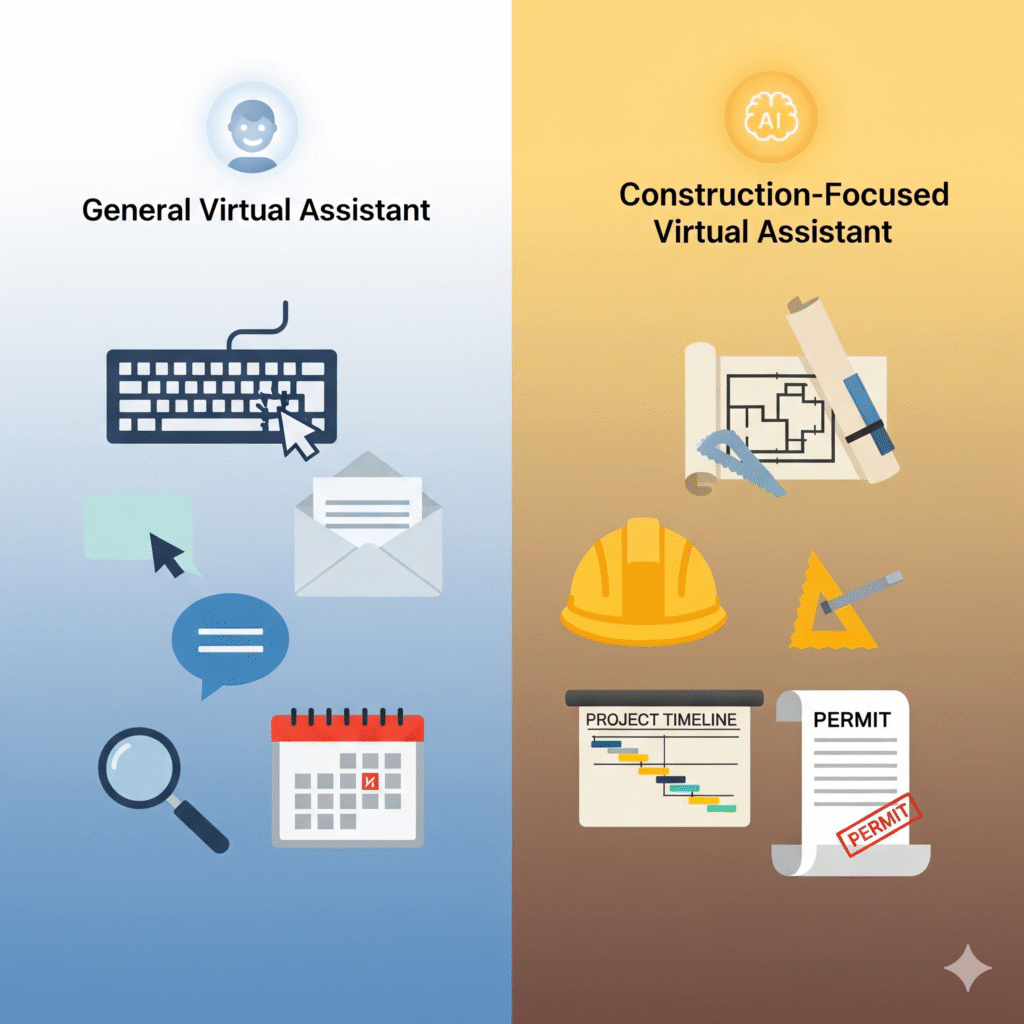
    Virtual assistants (VAs) are remote professionals who provide administrative support without requiring physical office space or full-time employment costs. While general virtual assistants can handle basic tasks, construction-focused virtual assistants are specifically trained to understand the unique terminology, workflows, and requirements of the construction industry.

    How Specialized Construction VAs Differ from General Virtual Assistants

    Construction-focused virtual assistants bring industry-specific knowledge that makes them immediately valuable to contractors:

    • Familiarity with construction terminology and processes
    • Understanding of typical project phases and documentation requirements
    • Knowledge of common construction software and management tools
    • Experience with permit processes and regulatory compliance
    • Awareness of subcontractor coordination challenges and solutions
    • Understanding of construction billing practices and payment applications

    This specialized knowledge eliminates the steep learning curve typically associated with bringing new administrative support into a construction business.

    The Cost-Effectiveness of Virtual Assistants for Contractors

    For small to mid-sized contractors, hiring full-time administrative staff often doesn’t make financial sense. Consider these cost comparisons:

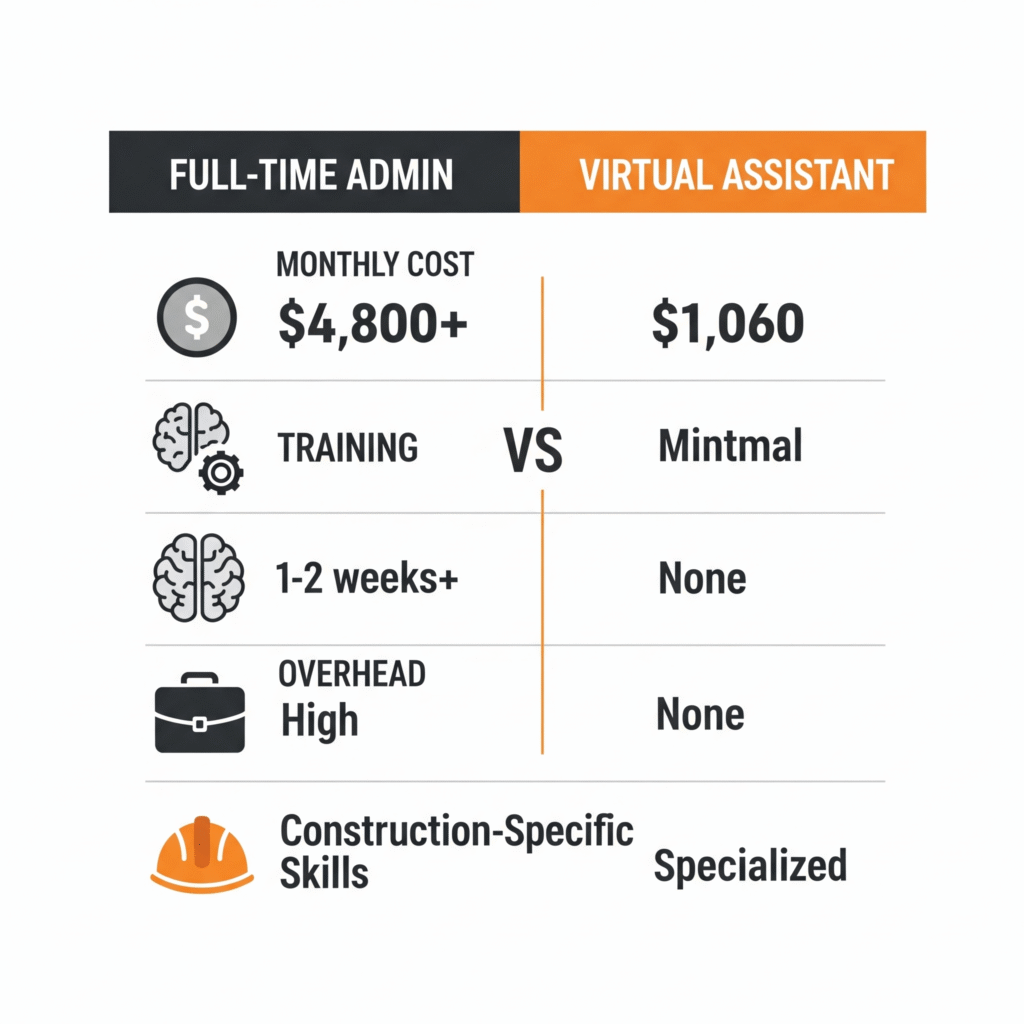
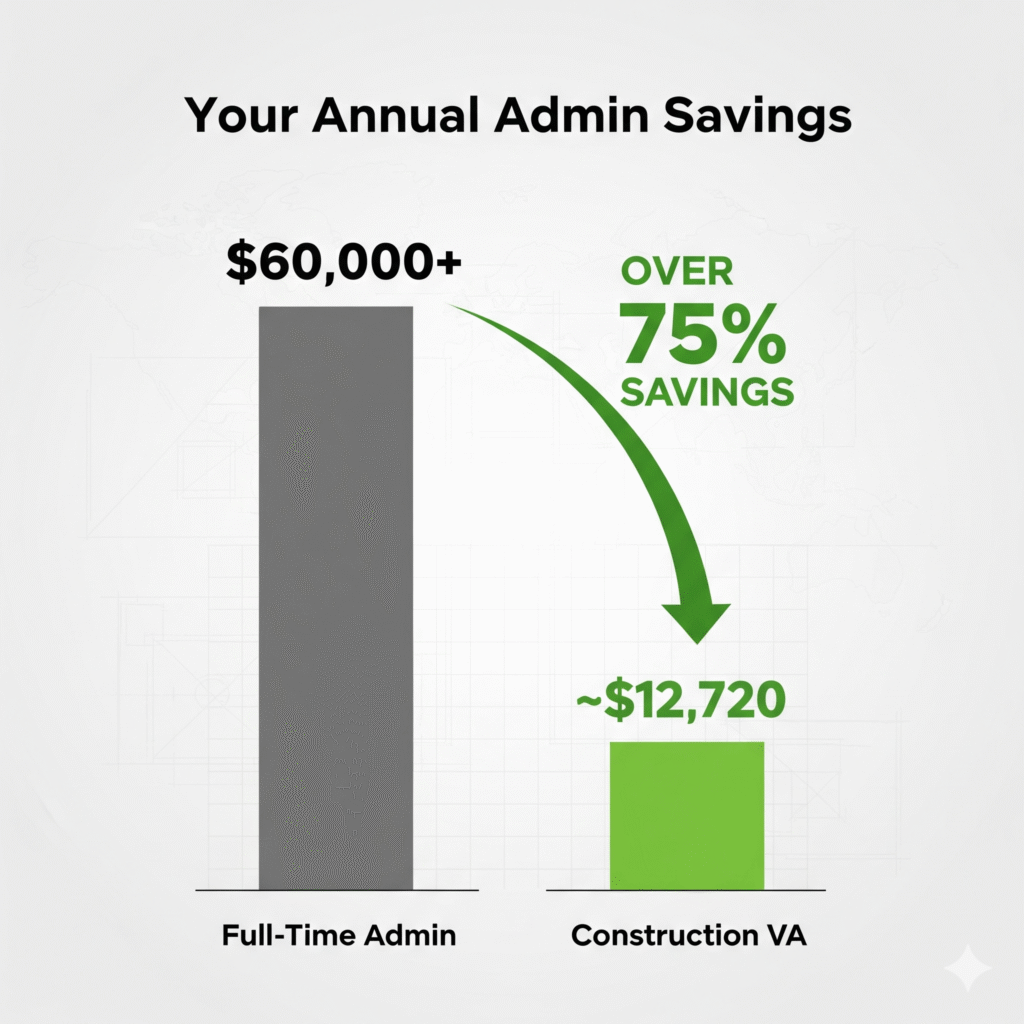
    • Full-time administrative assistant: $35,000-$45,000 annual salary plus benefits, taxes, and overhead
    • Construction-focused virtual assistant: $12,000-$18,000 annually for comparable support hours

    Beyond direct cost savings, virtual assistants offer flexibility that’s perfectly suited to the ebbs and flows of construction work. Services can be scaled up during busy seasons and adjusted during slower periods—something impossible with full-time employees.

    10 Key Tasks Virtual Assistants Can Handle to Prevent Project Delays

    Let’s explore the specific construction-related tasks that virtual assistants can manage to keep your projects running smoothly.

    1. Document Organization and Management

    Disorganized documentation is a leading cause of construction delays. Virtual assistants can implement digital filing systems that ensure critical documents are always at your fingertips:

    • Creating standardized folder structures for each project
    • Maintaining updated subcontractor lists with contact information
    • Organizing and tracking permits and inspection documents
    • Managing change orders and approval documentation
    • Maintaining digital copies of all contracts and agreements
    • Creating document templates to speed up future projects

    A well-organized document system means you’ll never again waste precious hours searching for that critical permit or subcontractor agreement when it’s urgently needed.

    2. Calendar and Schedule Management

    Keeping track of multiple project timelines, subcontractor schedules, and personal appointments is a major challenge for contractors. Construction VAs can take ownership of calendar management:

    • Coordinating inspection appointments
    • Scheduling and confirming subcontractor arrivals
    • Setting reminders for permit deadlines and renewals
    • Managing client meetings and site visits
    • Blocking adequate travel time between sites
    • Sending schedule confirmations and reminders to all parties

    With professional schedule management, you’ll dramatically reduce instances of scheduling conflicts, missed appointments, and the resource allocation problems that plague many construction projects.

    3. Permit Processing and Tracking

    Permit delays are among the most common causes of project setbacks. Virtual assistants can create systems to ensure timely permit applications and tracking:

    • Preparing permit application documentation
    • Following up on permit status
    • Creating calendar alerts for inspection scheduling windows
    • Maintaining digital copies of all permits
    • Developing checklists for permit requirements by project type
    • Coordinating with local authorities for inspections

    By having someone dedicated to permit management, you can significantly reduce the likelihood of work stoppages due to missing or expired permits.

    4. Subcontractor Coordination

    Managing multiple subcontractors across different projects requires meticulous coordination. Virtual assistants can serve as the central point of contact:

    • Maintaining updated contact information for all subcontractors
    • Sending work schedules and confirmation requests
    • Following up on subcontractor availability
    • Documenting and distributing scope of work details
    • Processing subcontractor agreements and insurance verification
    • Handling scheduling changes and communications

    Effective subcontractor coordination prevents the costly cascade effect where one missed appointment creates delays across the entire project timeline.

    5. Material Ordering and Vendor Management

    Material delays can bring projects to a standstill. Construction VAs can implement processes to prevent these costly interruptions:

    • Creating and maintaining vendor contact lists
    • Processing purchase orders based on project timelines
    • Tracking order confirmations and delivery dates
    • Following up on delayed shipments
    • Researching alternative suppliers when needed
    • Managing returns and exchanges for incorrect orders

    With proactive material management, your crews will spend less time waiting for supplies and more time completing billable work.

    6. Client Communication Management

    Client satisfaction depends heavily on communication, but contractors often struggle to maintain consistent contact while juggling on-site responsibilities. Virtual assistants can:

    • Respond promptly to client inquiries
    • Send regular project updates and photos
    • Schedule and confirm client meetings
    • Prepare client presentations and progress reports
    • Manage client feedback and change requests
    • Create standardized communication templates for different project phases

    Professional client communication not only prevents misunderstandings that lead to delays but also significantly improves client satisfaction and referral rates.

    7. Certificate of Insurance (COI) Management

    Insurance compliance issues can instantly halt projects. Construction-focused VAs can implement systems for tracking and maintaining all necessary insurance documentation:

    • Creating databases of subcontractor insurance certificates
    • Setting up expiration date tracking and renewal reminders
    • Verifying coverage meets project requirements
    • Requesting updated certificates when needed
    • Maintaining digital copies accessible from any location
    • Creating compliance reports for clients and project records

    Proper COI management prevents the all-too-common scenario where work must stop because a subcontractor’s insurance has lapsed or doesn’t meet requirements.

    8. Invoice Management and Financial Tracking

    Cash flow problems derail projects when contractors can’t promptly pay for materials or subcontractor services. Virtual assistants can streamline financial processes:

    • Creating and sending professional invoices
    • Tracking payment due dates and sending reminders
    • Processing subcontractor invoices
    • Preparing payment applications
    • Maintaining project budget tracking spreadsheets
    • Reconciling material receipts with orders

    Organized financial management ensures you maintain the cash flow necessary to keep projects moving forward without interruption.

    9. Email and Communication Triage

    The constant barrage of emails, calls, and texts can overwhelm contractors, leading to missed communications and resulting delays. Virtual assistants can:

    • Monitor and prioritize emails based on urgency
    • Draft responses for your review or respond directly to routine inquiries
    • Flag critical communications that need immediate attention
    • Maintain communication logs for each project
    • Forward relevant messages to appropriate team members
    • Create email templates for common situations

    With communication triage in place, critical messages no longer get lost in overflowing inboxes, preventing the delays that result from missed information.

    10. Project Documentation and Closeout

    Incomplete project documentation leads to delayed final payments and complications with future warranty work. Construction VAs can ensure thorough documentation throughout the project:

    • Compiling project photos and progress records
    • Organizing warranties and maintenance information
    • Creating client handover packages
    • Preparing final document sets for archiving
    • Collecting client testimonials and reviews
    • Processing final invoicing and payment tracking

    Thorough project closeout documentation not only prevents payment delays but also creates valuable reference material for similar future projects.

    How to Implement Virtual Assistant Support in Your Construction Business

    Now that you understand the potential benefits, let’s explore how to effectively integrate virtual assistant support into your construction business operations.

    Identifying Your Highest-Impact Needs

    The first step is identifying which administrative tasks are creating the most significant bottlenecks in your project flow:

    1. Track your time for one week, noting how many hours you spend on various administrative tasks
    2. Identify patterns of delays in recent projects and their administrative causes
    3. Calculate the cost of these delays in terms of extended project timelines and idle crew time
    4. Prioritize tasks that consume the most time or consistently cause delays
    5. Start with a focused scope rather than attempting to outsource everything at once

    Most contractors find that beginning with document management, scheduling, and client communication yields the fastest impact on project timelines.

    Setting Up Systems for Virtual Collaboration

    Before bringing on a virtual assistant, you’ll need basic systems for remote collaboration:

    • Cloud storage solution for document sharing (like Google Drive, Dropbox, or OneDrive)
    • Project management tool appropriate for construction (such as Buildertrend, CoConstruct, or even simpler tools like Trello)
    • Communication platform for easy messaging (Slack, Microsoft Teams, or similar)
    • Time tracking system if you’ll be paying hourly rather than on subscription
    • Standard operating procedures (SOPs) documenting your preferred workflows

    These fundamental tools create the infrastructure that allows a remote assistant to effectively support your operations.

    Finding the Right Construction-Focused Virtual Assistant

    Not all virtual assistant services are created equal, especially when it comes to construction industry knowledge. When evaluating potential VA services, look for:

    • Specific construction industry experience rather than general administrative skills
    • Familiarity with common construction software and management tools
    • Understanding of construction terminology and processes
    • Experience with permit processing and regulatory compliance
    • Knowledge of insurance requirements in the construction industry
    • Proven systems for document management and project coordination

    Specialized services like Citrus Assistants offer virtual assistants specifically trained to support contractors and construction businesses, eliminating the learning curve typically associated with bringing new administrative support into your operations.

    Onboarding Your Virtual Assistant Effectively

    The initial onboarding process is crucial for long-term success with a virtual assistant. Invest time upfront in:

    1. Creating access to necessary systems and providing login credentials
    2. Developing clear documentation of your typical project workflow
    3. Recording short training videos demonstrating specific processes
    4. Scheduling regular check-in meetings during the first few weeks
    5. Starting with a small batch of tasks before expanding responsibilities
    6. Providing feedback early and often to refine processes

    Most contractors find that spending 5-10 hours on proper onboarding saves countless hours of corrections and clarifications down the road.

    Measuring Impact and Optimizing Processes

    Once your virtual assistant is handling key administrative tasks, track the impact on your project timelines and overall business:

    • Compare project completion times before and after implementing VA support
    • Calculate hours freed up for on-site supervision and business development
    • Track reduction in permit delays or other administrative bottlenecks
    • Measure improvement in client communication response times
    • Note changes in subcontractor coordination efficiency

    Use these measurements to refine processes and potentially expand the scope of your virtual assistant’s responsibilities based on demonstrated ROI.

    Real-World Success Stories: Contractors Using Virtual Assistants

    Case Study 1: Small Residential Remodeling Contractor

    James R., a residential remodeling contractor with three full-time crew members, was consistently falling behind schedule due to administrative overwhelm. Client communications often fell through the cracks during busy construction phases, leading to misunderstandings and change order complications.

    After implementing virtual assistant support focused on client communication and document management, James experienced:

    • 28% reduction in overall project timelines
    • 94% decrease in change order disputes
    • 15 additional hours weekly to focus on job site supervision
    • Increased capacity to take on two additional projects quarterly

    The virtual assistant now handles all client updates, processes change orders, distributes updated plans to subcontractors, and maintains organized project documentation, allowing James to focus on quality craftsmanship and crew management.

    Case Study 2: Mid-Sized Commercial Contractor

    Martinez Construction, a commercial contractor specializing in office renovations, struggled with subcontractor coordination and permit processing across multiple simultaneous projects. These administrative bottlenecks regularly caused 2-3 day work stoppages, creating dissatisfied clients and strained subcontractor relationships.

    After implementing a construction-focused virtual assistant service, they experienced:

    • 65% reduction in work stoppages due to permit issues
    • 43% improvement in subcontractor scheduling efficiency
    • Complete elimination of insurance compliance issues
    • 22% increase in positive client reviews mentioning “on-time completion”

    Their virtual assistant now manages all permit applications and tracking, maintains subcontractor schedules, verifies insurance compliance, and coordinates inspections, creating smooth project progression without the administrative delays they previously experienced.

    Case Study 3: Solo Home Builder

    Sarah T., an independent custom home builder, was working 70+ hour weeks trying to manage both construction supervision and administrative tasks. The administrative burden meant she could only effectively manage one custom build at a time, severely limiting her income potential.

    After partnering with a construction-focused virtual assistant, Sarah achieved:

    • Capacity to manage three concurrent projects instead of one
    • 62% reduction in time spent on administrative tasks
    • Complete elimination of material delivery delays
    • Ability to take two actual vacation weeks annually

    Her virtual assistant now handles all material ordering and tracking, subcontractor scheduling, client updates, and document management, allowing Sarah to focus on site supervision and client relationships across multiple projects.

    Common Concerns About Using Virtual Assistants in Construction

    Despite the clear benefits, many contractors hesitate to implement virtual assistant support due to several concerns. Let’s address the most common ones:

    “Construction is too hands-on for remote support”

    While physical construction work certainly requires on-site presence, the administrative functions that support it—documentation, scheduling, ordering, client communication—can be effectively managed remotely. In fact, separating these functions from on-site work often improves efficiency by allowing each person to focus on their strengths.

    “I can’t trust someone who doesn’t understand construction”

    This valid concern highlights the importance of working with construction-focused virtual assistants rather than general administrative support. Services like Citrus Assistants specifically train their VAs in construction terminology, processes, and requirements, ensuring they understand the unique needs of your industry from day one.

    “It will take too long to train someone”

    The initial investment in training is far outweighed by the ongoing time savings. Moreover, specialized construction VA services significantly reduce this onboarding time by providing assistants already familiar with construction workflows and documentation requirements.

    “I need someone who can respond immediately”

    Most construction-focused virtual assistant services offer prompt response times during business hours, with some providing extended coverage. For truly urgent situations, clear protocols can be established during onboarding to ensure time-sensitive matters receive immediate attention.

    “My projects are too complex for someone not on site”

    While complex projects do require skilled on-site management, the administrative components follow consistent patterns that can be effectively handled remotely. By freeing yourself from these administrative burdens, you can actually devote more attention to the complex on-site challenges that truly require your expertise.

    Quick Takeaways: Preventing Project Delays with Virtual Assistants

    • Documentation bottlenecks are a leading cause of construction delays and can be eliminated with proper virtual assistant support
    • Permit processing and tracking handled by a dedicated VA prevents costly work stoppages
    • Subcontractor coordination improves dramatically with consistent communication and scheduling management
    • Client communication becomes more consistent and professional, reducing change order disputes and timeline adjustments
    • Material ordering and tracking managed by a VA prevents the common delays caused by missing supplies
    • Insurance certificate management ensures compliance issues never halt your projects
    • Professional invoice management improves cash flow, preventing delays caused by financial constraints

    Conclusion: Transform Your Construction Business with Strategic VA Support

    The construction industry faces unique challenges when it comes to project timelines and administrative efficiency. While skilled craftsmanship remains essential, the reality is that administrative excellence often makes the difference between profitable, on-time projects and costly delays.

    By strategically implementing construction-focused virtual assistant support, contractors can transform their operations—eliminating the administrative bottlenecks that consistently cause delays while freeing themselves to focus on the on-site work that truly requires their expertise.

    The most successful contractors today recognize that trying to personally handle every aspect of increasingly complex projects is neither sustainable nor necessary. By delegating administrative tasks to trained professionals who understand the construction industry, they’re able to deliver more projects, with fewer delays, while actually working fewer hours themselves.

    For small to mid-sized contractors especially, virtual assistants represent an affordable, flexible solution that provides the administrative infrastructure of much larger companies without the corresponding overhead costs. This administrative leverage allows them to compete effectively with larger firms while maintaining the personal touch and quality focus that differentiates their services.

    If project delays, administrative overwhelm, or simple burnout are challenges in your construction business, it’s time to consider how a construction-focused virtual assistant could transform your operations. The contractors who embrace this approach find themselves not just surviving but thriving—completing projects on time, satisfying clients, and finally achieving the work-life balance that seemed impossible when they were handling everything themselves.

    Ready to eliminate administrative delays from your construction business? Schedule a consultation with Citrus Assistants today to discover how our construction-focused virtual assistants can help you deliver projects on time, every time.

    Frequently Asked Questions

    How much construction industry knowledge do specialized virtual assistants have?

    Construction-focused virtual assistants from services like Citrus Assistants receive specific training in construction terminology, documentation requirements, permit processes, subcontractor management, and industry-standard software. While they don’t have the technical expertise of a builder, they understand the administrative workflows that support construction projects and can manage them effectively without constant guidance.

    How quickly can a virtual assistant get up to speed on my specific projects?

    With proper onboarding, most construction-focused virtual assistants can begin effectively managing administrative tasks within 1-2 weeks. The learning curve is significantly reduced when working with VAs specifically trained in construction administration rather than general assistants. Developing clear SOPs and providing examples of your typical documentation accelerates this process even further.

    What happens if my regular virtual assistant is unavailable?

    Quality virtual assistant services like Citrus Assistants have systems in place to ensure continuity of support. This typically includes detailed documentation of your preferences and processes, backup assistants familiar with construction administration, and team oversight that ensures no critical tasks are missed during transitions or temporary absences.

    How do virtual assistants handle local permit requirements when they’re not physically present?

    Experienced construction virtual assistants become adept at navigating online permit systems for different jurisdictions. For locations still requiring physical permit submissions, your VA can prepare all documentation and coordinate with local runners or services that specialize in permit submission. They can also establish relationships with permit office staff to track applications effectively by phone and email.

    Can virtual assistants really manage subcontractor coordination without being on site?

    Yes, and they often do it more effectively than busy contractors. Virtual assistants use systematic approaches to subcontractor management—including detailed scheduling systems, confirmation protocols, and digital documentation—that ensure nothing falls through the cracks. They become the central communication hub for scheduling, creating accountability and consistent follow-up that actually improves coordination compared to on-the-fly management.

    We’d Love to Hear from You!

    How do administrative tasks impact your construction project timelines? Have you tried working with virtual assistants or other administrative support solutions? Share your experiences in the comments below, or reach out directly to learn more about how Citrus Assistants can help eliminate the administrative bottlenecks in your construction business.

    References

    1. Construction Management Association of America. “Administrative Burden in Small Construction Operations.” CMAA Industry Report, 2023.
    2. FMI Corporation. “Construction Project Delay Analysis.” Industry Survey Results, 2022.
    3. National Association of Home Builders. “Time Management Study: Where Builders’ Hours Go.” NAHB Research Center, 2023.
    4. Journal of Construction Engineering and Management. “Administrative Factors in Construction Project Delays.” Academic Research Study, 2021.

    Construction Industry Institute. “Best Practices for Administrative Efficiency in Construction Project Management.” CII Research Summary, 2022.

  • How a Virtual Assistant Can Help Small Construction Companies Scale Faster

    How a Virtual Assistant Can Help Small Construction Companies Scale Faster

    Introduction

    Running a small construction company involves juggling numerous responsibilities—from managing projects and coordinating with subcontractors to handling administrative tasks and client communications. As the business grows, these tasks can become overwhelming, potentially hindering further expansion. This is where a virtual assistant (VA) can be a game-changer. By delegating time-consuming tasks to a skilled VA, construction business owners can focus on strategic activities that drive growth. In this article, we’ll explore how virtual assistants can help small construction companies scale more efficiently.​

    The Role of Virtual Assistants in Construction

    A virtual assistant is a remote professional who provides administrative, technical, or creative assistance to businesses. In the construction industry, VAs can handle a variety of tasks, including:​

    • Administrative Support: Managing emails, scheduling appointments, and organizing documents.​
    • Project Management Assistance: Coordinating schedules, tracking project milestones, and communicating with stakeholders.​
    • Financial Management: Processing invoices, tracking expenses, and managing budgets.​
    • Marketing Support: Managing social media accounts, creating content, and handling client communications.​

    By outsourcing these tasks, construction business owners can free up valuable time to focus on core operations and strategic planning.​

    Benefits of Hiring a Virtual Assistant

    1. Cost Savings

    Hiring a full-time, in-house employee comes with additional costs such as benefits, office space, and equipment. Virtual assistants, on the other hand, work remotely and typically charge on an hourly or project basis, allowing businesses to pay only for the work done. This arrangement can lead to significant cost savings, which can be reinvested into the business.​

    2. Increased Productivity

    Delegating routine tasks to a VA allows business owners and their teams to focus on high-priority activities. For instance, while the VA handles administrative duties, the core team can concentrate on project execution and client relations, leading to increased productivity and efficiency.​

    3. Flexibility and Scalability

    Virtual assistants offer flexibility in terms of working hours and can be hired on an as-needed basis. This scalability is particularly beneficial for construction companies that may experience fluctuating workloads, enabling them to adjust support levels according to project demands.​

    4. Access to Specialized Skills

    Many virtual assistants possess specialized skills in areas such as project management, bookkeeping, and digital marketing. By hiring a VA with expertise relevant to the construction industry, businesses can enhance their operations without the need for extensive training.​

    Key Areas Where Virtual Assistants Can Contribute

    Administrative Support

    Virtual assistants can manage day-to-day administrative tasks, including:​

    • Email Management: Sorting and responding to emails, flagging important messages, and organizing inboxes.​
    • Scheduling: Coordinating meetings, appointments, and project timelines to ensure efficient time management.​
    • Document Management: Organizing contracts, permits, and other essential documents for easy access and compliance.​

    By handling these tasks, VAs help streamline operations and reduce the administrative burden on the in-house team.​

    Project Management Assistance

    Effective project management is crucial in construction. Virtual assistants can assist by:​Shore Agents+2Connext+2Virtual Construction Assistants+2

    • Coordinating with Subcontractors and Suppliers: Ensuring that all parties are informed of schedules and changes.​
    • Tracking Project Milestones: Monitoring progress to ensure projects stay on schedule and within budget.​
    • Preparing Reports: Compiling progress reports and updates for stakeholders.​

    This support helps maintain organization and ensures that projects proceed smoothly.​

    Financial Management

    Keeping track of finances is vital for any business. Virtual assistants can help with:​

    • Invoicing: Preparing and sending invoices to clients promptly.​
    • Expense Tracking: Monitoring and categorizing expenses to maintain accurate financial records.​
    • Budget Management: Assisting in creating and managing project budgets to prevent overspending.​

    With a VA handling financial tasks, construction companies can maintain better control over their finances.​

    Marketing and Client Relations

    Building a strong online presence and maintaining client relationships are essential for growth. Virtual assistants can:​

    • Manage Social Media Accounts: Posting updates, engaging with followers, and responding to inquiries.​
    • Create Marketing Materials: Developing content such as blog posts, newsletters, and promotional materials.​
    • Handle Client Communications: Following up with clients, gathering feedback, and addressing concerns.​

    These efforts can enhance brand visibility and foster stronger client relationships.​

    Implementing Virtual Assistance in Your Construction Business

    To effectively integrate a virtual assistant into your construction business:

    1. Identify Tasks to Delegate: Determine which tasks are time-consuming and can be handled remotely.​
    2. Choose the Right VA: Look for a virtual assistant with experience in the construction industry and the specific skills required.​
    3. Set Clear Expectations: Communicate your goals, preferred communication methods, and deadlines clearly.​
    4. Utilize Technology: Use project management and communication tools to facilitate collaboration and track progress.​

    By following these steps, you can ensure a smooth integration of a virtual assistant into your operations, leading to increased efficiency and scalability.​

    Quick Takeaways

    • Cost-Effective Support: Virtual assistants provide professional services without the overhead costs associated with full-time employees.​
    • Enhanced Productivity: Delegating routine
  • Construction Admin Assistant vs. Full-Time Hire: Cost Breakdown

    Construction Admin Assistant vs. Full-Time Hire: Cost Breakdown

    Every construction business reaches a point where admin work becomes too much to handle alone. From managing schedules and emails to COIs and invoices, it’s clear you need help.

    But what’s the smarter move: hiring a full-time admin or outsourcing to a virtual assistant?

    Let’s break down the real costs, and what you get, for each option so you can make the best decision for your business.

    The Reality: Admin Is Critical (But Often Underestimated)

    Admin work isn’t optional. It’s the backbone of your operations:

    • Coordinating crews and subcontractors
    • Booking inspections and jobs
    • Organizing permits and insurance
    • Managing calendars, calls, and client updates
    • Processing invoices and tracking payments

    Whether it’s you doing it or someone else, it has to get done. But how you staff for it makes all the difference.

    Option 1: Hiring a Full-Time In-House Admin

    Here’s the typical breakdown for a construction office assistant working full-time in the U.S.

    ExpenseMonthly Estimate
    Base Salary ($40–55k/year)$3,750
    Payroll Taxes (15%)$560
    Health Benefits$400–600
    Office Setup & Software$150–300
    PTO / Sick DaysVariable
    Total Monthly Cost$4,800–5,200+

    Beyond the money, you’ll also spend time training, managing, and supervising daily tasks, especially if they’re new to construction workflows.


    Option 2: Hiring a Virtual Construction Admin Assistant

    A remote admin assistant who specializes in construction tasks (like the ones Citrus provides) works full-time, but without the full-time overhead.

    Here’s a typical cost breakdown:

    ExpenseMonthly Estimate
    Hourly Rate ($6/hr avg)$960 (40 hrs/week)
    Service Fee/Admin Support$100
    Benefits, PTO, Equipment$0
    Training TimeMinimal (pre-trained)
    Total Monthly Cost$1,060

    And the best part? You only pay for the time and tasks you need—no idle hours, no office space, no extra payroll.


    Side-by-Side Comparison: Virtual Assistant vs. Full-Time Admin

    Full-Time AdminVirtual Assistant
    Monthly Cost$4,800–5,200+$1,060
    Training Required1–2 weeks+Minimal (pre-trained)
    Time Zone FlexibilityLimitedFlexible
    Construction-Specific TasksVaries by candidateSpecialized VA
    Coverage During Sick DaysYou manage itFully covered
    Tools & SetupYou provideAlready equipped
    HR/Legal OverheadHighNone

    What You Can Expect a VA to Handle Daily

    Even though they’re remote, VAs can take full ownership of:

    • Inbound/outbound calls
    • Subcontractor communication
    • Calendar and crew scheduling
    • COI and document tracking
    • Inbox management
    • Material order follow-ups
    • Client proposal emails
    • Invoice prep and payment logs

    They’re not “just an assistant”—they become your remote operations support.


    Why Virtual Assistants Make Sense for Growing Construction Teams

    If you’re not ready to commit to a $50K+ annual hire, or if you’ve been drowning in admin while trying to manage jobs, here’s what makes VAs a smart choice:

    • Lower cost without sacrificing quality
    • Scalable support as your workload grows
    • Minimal training needed—many VAs are pre-trained for construction
    • Better work-life balance for you and your team
    • No hiring or firing stress

    You get back control of your time—without blowing your margins.


    When a Full-Time Admin Might Make Sense

    • You have 10+ employees and a physical office
    • You need someone onsite for in-person paperwork or front-desk duties
    • You’re looking for someone to eventually grow into an operations manager role

    But for 80% of construction companies under 10 people? A VA is all you need (and more).


    Final Word: Spend Less, Get More Done

    You don’t need to pay $60K+ a year to stay organized.

    For a fraction of the cost, a construction-focused virtual assistant can take over your admin work, reduce stress, and keep your business moving.

    Compare the numbers. Choose flexibility. And start scaling smarter—with just one assistant.

  • Booking Calls, Managing Calendars: Let Your VA Do It

    Booking Calls, Managing Calendars: Let Your VA Do It

    VIRTUAL ASSISTANT ON HEADSET, SCHEDULING APPOINTMENTS ON COMPUTER

    You’ve got leads coming in, clients to follow up with, and projects to juggle. Still, your day keeps getting derailed by one thing: calendar chaos.
    Whether it’s double-booked calls, last-minute reschedules, or forgotten meetings, managing your own calendar can quickly turn into a full-time job. And let’s be honest, you didn’t start your business to spend all day sending calendar invites.
    That’s where a virtual assistant (VA) steps in. They take over your scheduling, coordinate calls, and protect your time. As a result, you can actually focus on growing the business.


    Why Booking and Calendar Management Is More Than Just Admin Work

    It might seem simple: send a link, confirm a time, and move on. However, in reality, scheduling is one of the most distracting and detail-heavy parts of your workflow.
    Here’s what it really includes:

    • Coordinating across multiple time zones
    • Confirming availability for multiple people
    • Rescheduling missed or canceled appointments
    • Sending calendar invites + reminders
    • Managing scheduling tools like Calendly or Google Calendar
    • Adding notes or context for each meeting

    Miss a detail and you risk no-shows, poor first impressions, or lost opportunities. This is why many business owners delegate the task to trained virtual assistants who manage it professionally.


    What a VA Can Do to Simplify Your Scheduling Life

    A dedicated VA can take full ownership of your scheduling process, including:

    Managing Your Calendar Daily

    • Accepting invites, declining conflicts, and keeping your schedule clean
    • Blocking time for deep work, client calls, team meetings, and breaks

    Booking and Confirming Appointments

    • Handling back-and-forth emails with clients or prospects to lock in times
    • Confirming appointments 24 hours in advance to reduce no-shows

    Coordinating With Teams or Clients

    • Aligning calendars between multiple parties for smooth scheduling
    • Organizing internal meetings and adding agendas or Zoom links

    Handling Reschedules Without Stress

    • Quickly finding alternate slots and sending new invites with all details
    • Notifying everyone involved to avoid confusion

    Keeping You on Time

    • Sending you a daily agenda so you know what’s coming
    • Giving reminders before each meeting so you show up prepared

    CALENDAR OPEN ON SCREEN WITH TASKS, MEETINGS, AND REMINDERS

    Who Benefits Most From Calendar Delegation?

    If you answer “yes” to any of these, you’re ready to delegate:

    • Missing or rescheduling more than one meeting per week
    • Dreading the daily calendar check
    • Seeing your inbox filled with “Does this time work?” emails
    • Spending more time coordinating calls than closing deals

    No matter if you run a construction firm, an insurance agency, or a growing service business, your time is your most valuable asset. Managing your calendar is not the best way to use it.


    Behind the Scenes: How a VA Takes Over Scheduling

    Here’s how a VA-run calendar typically works:

    1. You set preferences (available hours, buffer times, call types)
    2. Your VA syncs with your tools (Google Calendar, Outlook, Calendly, Zoom, etc.)
    3. They manage all incoming requests
    4. They coordinate with leads or teams to confirm times
    5. You get a clean, updated calendar and daily brief

    And that’s it. You stop thinking about time management because someone else already has.


    Why Small Business Owners Love Delegating Calendar Management

    ✅ You gain hours back in your day
    No more juggling time zones or playing email tag.

    ✅ Fewer interruptions
    Your VA protects your schedule and builds in deep focus blocks.

    ✅ More professional experience
    Clients and leads get timely, organized communication.
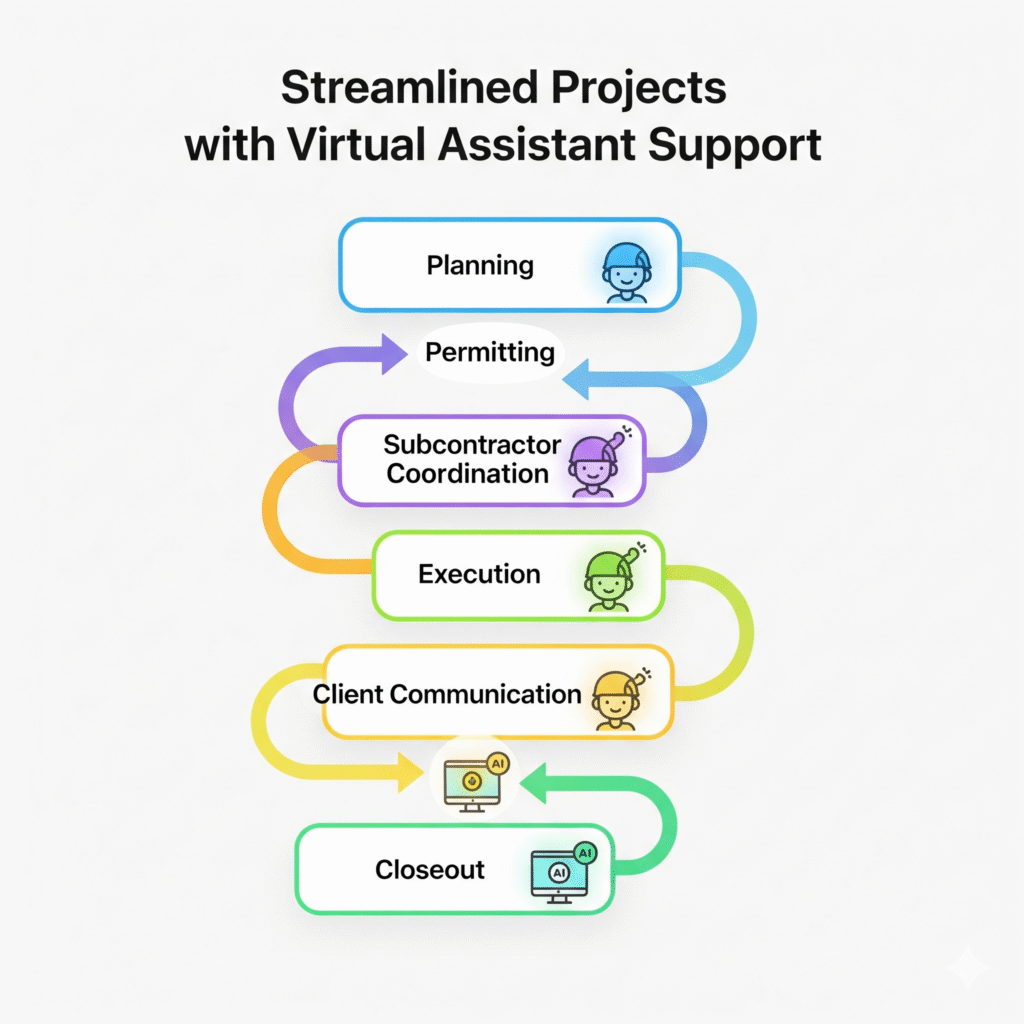
    ✅ Zero no-show surprises
    With reminders and confirmations built in, people actually show up.

    ✅ You feel in control again
    You always know what’s coming without scrambling or reacting.


    What Tools Can a VA Use to Make This Seamless?

    A professional VA will work with whatever tools you prefer or help you optimize them. Popular options include:

    • Google Calendar / Microsoft Outlook
    • Calendly / Acuity
    • Zoom / Google Meet / Teams
    • Slack / Email / Text for appointment updates

    They can also set up recurring meetings, reminders, and CRM integrations when needed.


    Common Myths About Delegating Your Calendar

    “But I need to approve every call.”
    You still can. Your VA can run appointments by you first or follow rules you set.

    “It’s too personal to hand off.”
    Your VA works under your preferences and approval flow. Nothing feels out of your control.

    “Won’t people get confused?”
    They won’t. In fact, communication becomes clearer when your assistant handles it promptly and professionally.


    5 Quick Signs You’re Ready for a Scheduling VA

    • Double-booking yourself more than once this month
    • Losing time managing reschedules
    • Inbox filled with back-and-forth scheduling emails
    • Team members confused about meeting times
    • Never having enough time to focus

    If this sounds familiar, it’s time to hand off the calendar.


    Take Calendar Chaos Off Your Plate

    You’ve got better things to do than scheduling calls and managing invites. Let a VA take the wheel, protect your time, and make your day run smoother than ever.
    Because your calendar should serve your business, not sabotage it.